
Conceptually, Smarty client applications are divided into the following types:
- Applications running the WEB-portal (applications for set-top boxes, Samsung Smart TV, LG Smart TV, Android TV)
- Native apps (mobile app, Apple TV)
Applications of the first type have quite extensive and flexible options for configuration and other changes « on the fly»: updating the code base, applying stylistic customizations, making changes to the configuration — all this can be done without reassembling the application and refilling it into the market, as well as with virtually zero downtime for subscribers.
Applications of the second type are less flexible — configuration options are prescribed when assembling the package, and the new functionality necessarily entails reassembling the application and re-publishing in markets.
At the same time, applications of both types receive a certain set of options at startup, which is set in the Smarty admin in the section « Portal and application configuration»
- for applications running the WEB portal, this set from the server overwrites the values of the options specified in the file
/etc/microimpuls/portal/client.js8212; i.e. allows you to override configuration for specific types of devices, as well as without direct connection to the server file system; - for native applications, this set of options from the server overwrites the configuration set during the assembly of the application, that is, allows you to make some changes to the applications without reassembling and republishing it.
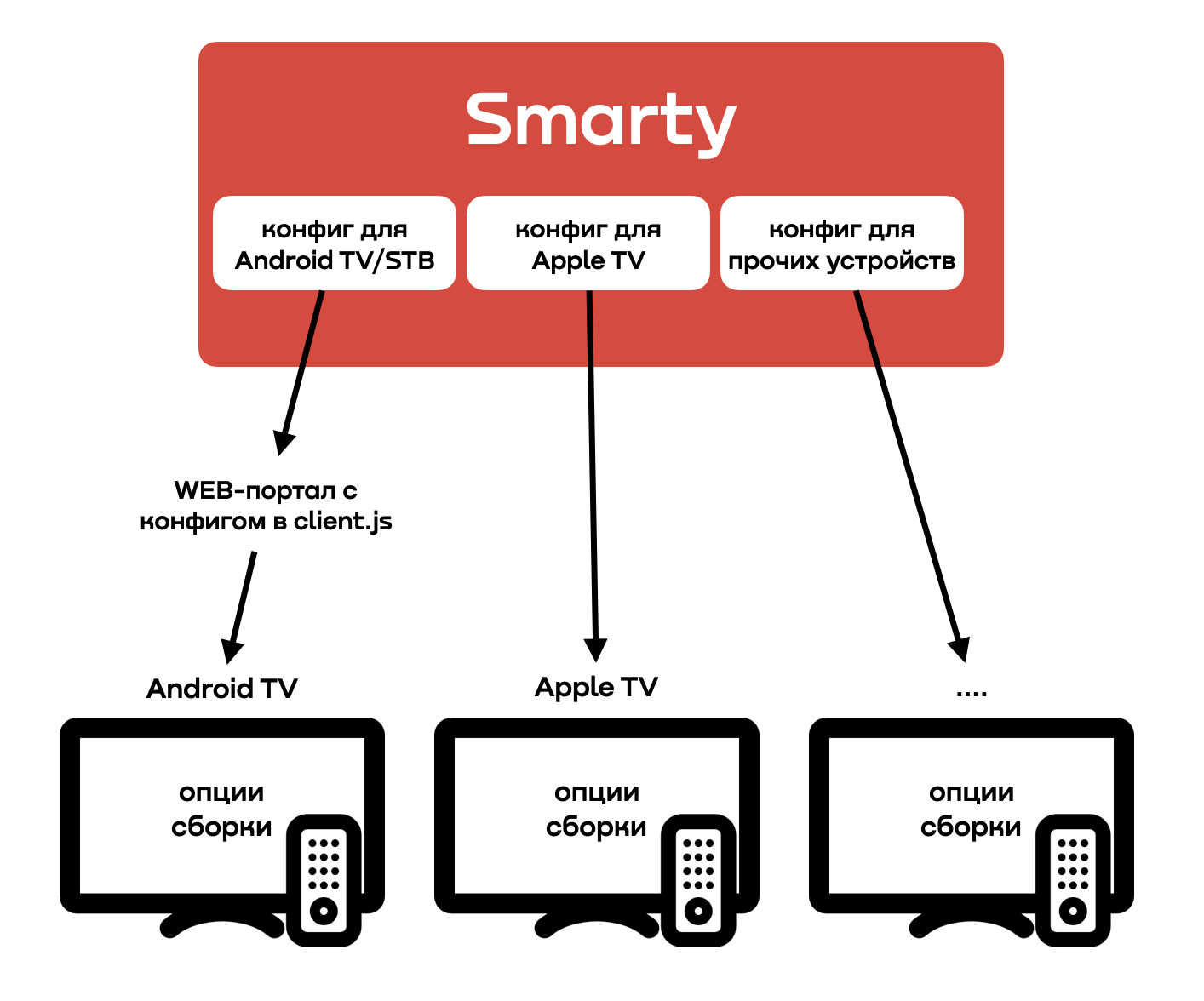
Build options for applications with WEB-portal are not overridden — usually it is an icon, name and description of the application displayed in the market.
Build options for native applications include both app data for the market and internal app options — you can only redefine some internal options — a list of them is presented in documentation.
There are also options client.js, which can not be determined through the admin Smarty, such options are tagged #hardcoded into documentation.
