
Instructions for installation and configuration of MiStats can be found here.
Statistics in Admin panel
The admin Smarty presents the basic functionality of MiStats, namely — statistics on channel views and transmissions in the section «Statistics». This functionality was previously implemented in the framework of an outdated module ViewStats, running on MongoDB, and saved in admin for compatibility.
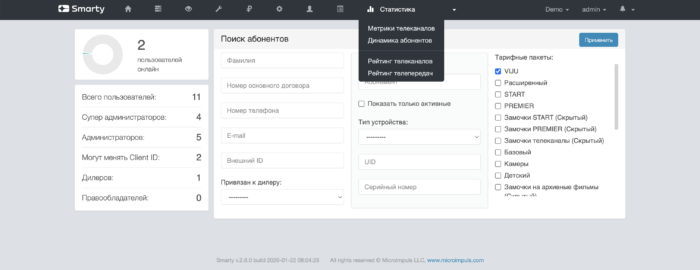
Watching statistics for movies and TV series, as well as the rest of the functionality of MiStats is available in a separate administration panel.
Channel metrics
This section presents the functionality for viewing statistics for each individual channel. The functionality is convenient for forming a response for the copyright holder on the topic of watching a particular channel, as well as comparing it with other channels in its niche.

An example of a finished report on the channel:
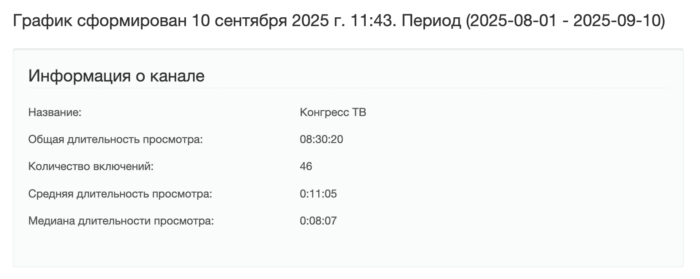
In addition to obtaining numerical metrics, it is possible to build ratings with the participation of this channel relative to others in various sections, as well as a schedule of views of the channel in the context of days.
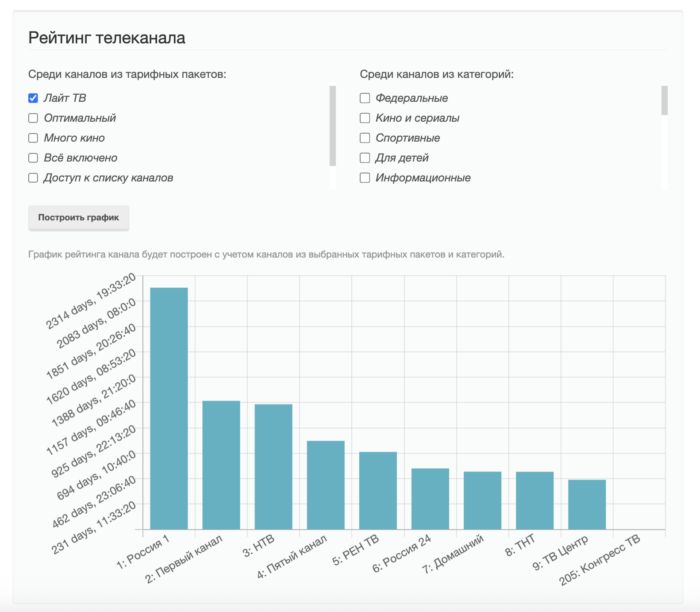
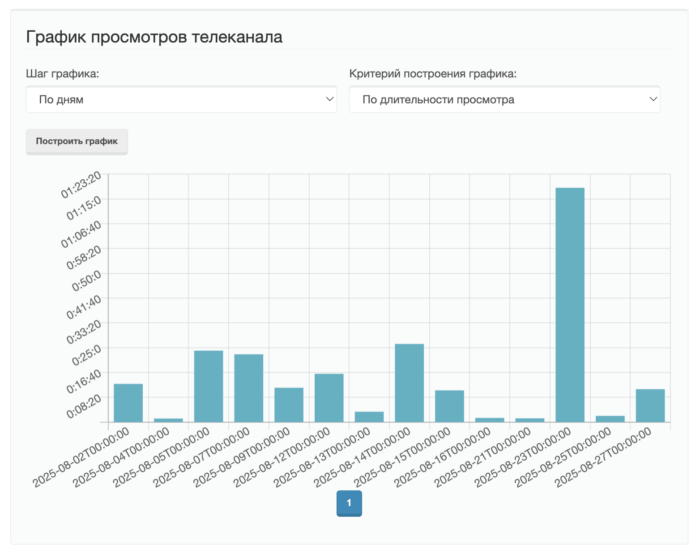
Channel ratings
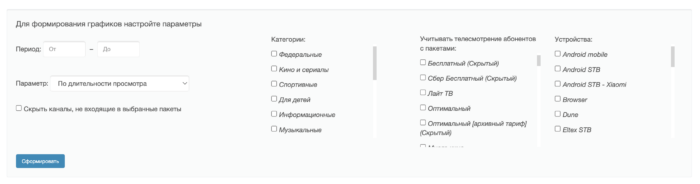
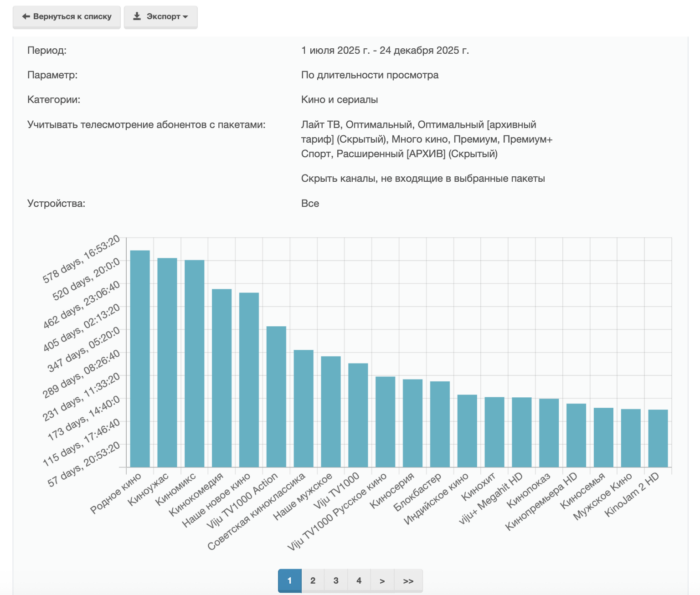
In a separate tab with the rating of TV channels, charts are available in the context of categories, tariffs and devices. These ratings are already more useful for identifying common leaders of TV viewing in the service for making product decisions by the operator: about launching advertising, about removing indiscriminate channels from the service and others.
The finished schedule is displayed in the admin, and is also available for uploading in csv- and xlsx-files.
Television ratings
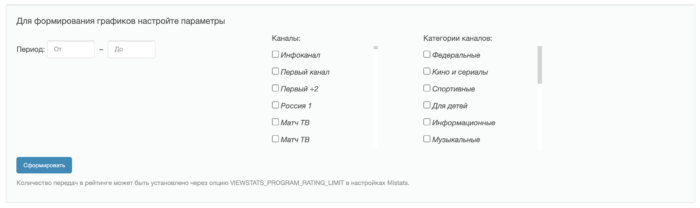
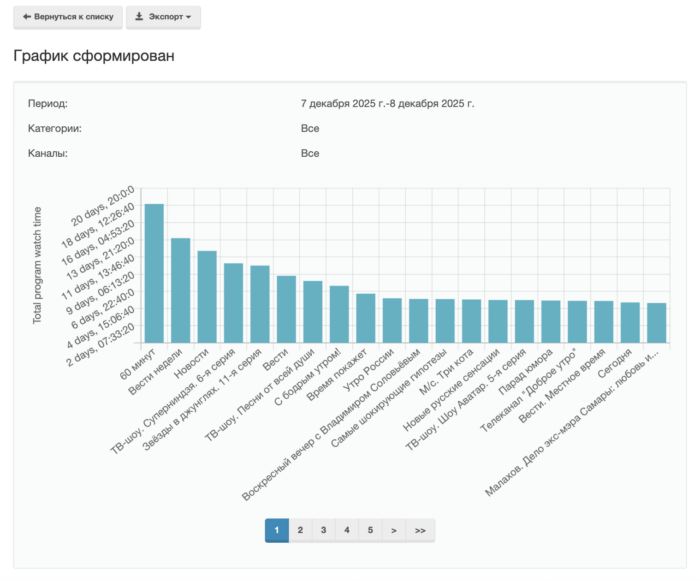
The functionality is similar to the previous one, but builds a schedule directly by watching TV programs: both in Live and in recording.
The results can also be uploaded to tabular files.
Television-based selection and sorting
MiStats allows you to automatically create a collection based on the obtained statistics:
Creating smart channel sorting
smarty_manage create_channel_sorting_by_popularity --settings=settings.When executing this command, a sorting of channels is created based on television viewing statistics, based on the specified parameters in the team.
The necessary parameters to execute this command:
-client_id - a list of customer identifiers, through a comma, for which caching is necessary;
-days_number &# 8212; the number of days during which you should consider tv viewing;
- criterion — a characteristic by which to measure popularity. Possible values:watch — by total channel viewing time;watch_sessions — by number of channel inclusions;average — the average viewing time of the channel;median_watch_time — by median channel viewing time.
Additional parameters of the team:-devices — a list of devices for which you should take into account the statistics of tv viewing (transfer system device names, default — all);-tariffs — a list of tariffs for which you should take into account the statistics of tv viewing (tariff identifiers are transmitted, by default — all);--accounts_active — consider statistics only from active accounts.
Creating a selection of popular TV channels
smarty_manage create_channel_selection_by_popularity --settings=settings;Parameters:-client_id This option is mandatory and determines the Client identifier for which the selection will be created.-days_number this parameter is mandatory and determines the number of days during which you should take into account television viewing.- criterion This parameter is mandatory and determines the characteristic on which the selection will be created. Possible values: watch (total channel viewing time), watch_sessions (number of channel viewing sessions), average (average channel viewing time), median_watch_time (median viewing time).-devices parameter for creating a collection for certain devices (by default, the collection is created for all devices).--accounts_active The parameter allows you to create a selection only based on active accounts. Possible values: true, false. By default falsely.-tariffs selection of certain tariffs to create a collection (all tariffs are taken into account by default).--selection_size The parameter determines the size of the set created. In the absence of information about a sufficient number of channels, channels without statistics are added to the desired number. By default 17.
Example of using a command:
Creating for Client=1 a selection of weekly popular channels by viewing time:
smarty_manage create_channel_selection_by_popularity —client_id=1 —days_number=7 —criterion=watch_time —settings=settings;
Creating a selection of popular television programs
smarty_manage create_epg_selection_by_popularity --settings=settings.Parameters:-client_id This option is mandatory and determines the Client identifier for which the selection will be created.-days_number this parameter is mandatory and determines the number of days during which information on transfers is collected.-devices parameter for creating a collection for certain devices (by default, the collection is created for all devices).-tariffs selection of certain tariffs to create a collection (all tariffs are taken into account by default).--selection_size The parameter determines the size of the set created. In the absence of information on a sufficient number of transmissions, transmissions without statistics are added to the desired number. By default 17.-categories - parameter for creating a selection of certain categories of channels (all categories are taken into account by default), id categories can be seen in the section Content Settings - TV Categories.-channels only those channels whose id is specified in this parameter are considered.--election_name - the name of the collection. If not specified, the selection will be called "Days_number ($selection_size)".
Example of using a command:
Create a selection of 27 popular programs for Client=1 in 30 days with categories "Children" (id=2) and "Educational" (id=7):
smarty_manage create_epg_selection_by_popularity --selection_name="Children's cognitive" --client_id=1 --days_number=30 --selection_size=27 --categories=2 --categories=7 --settings=settings;
Creating a selection of popular films of the archive video library
Team:
smarty_manage create_vodpvr_selection_by_popularity --client_id=1 --days_number=3 --settings=settings;
The team creates a selection of popular videos from the archive video library based on the viewing of users.
Mandatory parameters:
-client_id - determines the Client identifier, within which the collection will be formed.
-days_number the number of days for which television viewing statistics are taken.
Optional parameters:
-channels - a list of channels, the transmissions of which take into account the statistics of television viewing.
-categories - a list of categories of channels, the transmissions of which take into account the statistics of television viewing.
--selection_size Maximum amount of content in the collection. Default 17.
--election_name - the name of the collection. The default is "Popular Videos X (Y)" or "Popular Videos X (Y)" where X is the days_number value and Y is selection_size.
-exclude epg channels ids EPG channel identifiers (EpgChannel), whose content should be excluded from the compilation. You can specify several times, for example: -exclude epg channels ids=1 -exclude epg channels ids=2. The collection will not include archival videos in which at least one asset is associated with the transfer of an excluded EPG channel.
--election id identifier of the existing collection. If the parameter is specified, the team updates the content of this collection: the name does not change, only the composition changes. If there is no collection with such an identifier, the team will end with an error. If transferred simultaneously --election id and --election_namepriority y --election id. If the parameter is not specified, the behavior is the same: a new collection is created (or a collection with the same name is updated).
Example of using a command:
smarty manage create vodpvr selection by popularity --client id=1 --days number=7 --exclude epg channels ids=1 --exclude epg channels ids=2 --settings=settings;
Video-based compilations
MiStats allows you to automatically create selections of films and TV series based on video viewing statistics.
Creating a selection of popular films and series
Team:
smarty manage create video selection by popularity --settings=settings;
The team creates a selection of popular films and / or TV series based on video viewing statistics of users. For the work of the team, the MiStats video viewing statistics module is required.
Mandatory parameters:
-client_id - Client identifier for which the selection will be created.
-days_number the number of days in which video viewing statistics are taken.
- criterion Characteristics by which popularity is estimated. Possible values:watch - the total viewing time;sessions - by the number of launches;average - the average viewing time;median_watch_time - median viewing time.
For series, metrics are considered different than for films: total, average and median viewing time are taken as the average value among series. Number of launches (sessions) is the number of unique subscribers who have watched at least one episode of the series.
Optional parameters:
-is series The type of content in the collection. Possible values: 1 - just tv shows, 0 - just movies. If the parameter is not specified, the collection includes both films and TV series.
-tariffs - a list of tariffs for which video viewing is taken into account. You can specify several times, for example: --tariffs=1 --tariffs=2. By default, all tariffs are taken into account.
--selection_size The maximum number of content units in the collection. Default 17.
--election_name - the name of the created collection.
--election id identifier of the existing collection. If the parameter is specified, the team updates the content of this collection: the name does not change, only the composition changes. If there is no collection with such an identifier, the team will end with an error. If transferred simultaneously --election id and --election_namepriority y --election id. If the parameter is not specified, the behavior is the same: a new collection is created (or a collection with the same name is updated).
Example of using a command:
Creating a selection of popular movies for Client=1 in 7 days by total viewing time:
smarty manage create video selection by popularity --client id=1 --days number=7 --criterion=watch time --is series=0 --selection name="Popular movies" --settings=settings.
Creating a selection of popular series by the number of unique viewers:
smarty manage create video selection by popularity --client id=1 --days number=7 --criterion=sessions --is series=1 --selection name="Popular series" --settings=settings.
Update a specific selection by identifier (the name of the collection will not change):
smarty manage create video selection by popularity --client id=1 --days number=7 --criterion=watch time --selection id=123 --settings=settings;
