
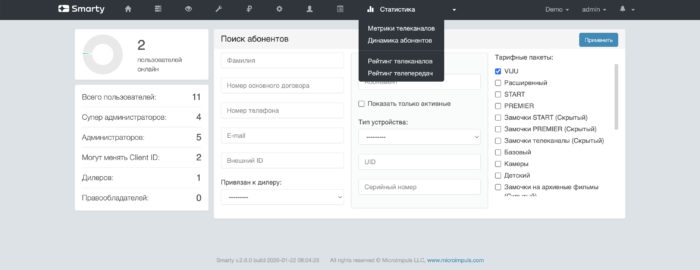
Do release of Smarty 2.8 statistics for this section are stored in MongoDBBAt the moment, all data is transferred from there to SQL and Redis.
To correctly migrate data from MongoDB after upgrading to Smarty 2.8, use the command migrate_account_activity.
Functionality of the section
This section will mainly be useful for operators using the internal logic of billing Smarty, as it shows data on payments occurring inside Smarty using payment gateways, and also relies on the mechanisms of the team check_accounts.

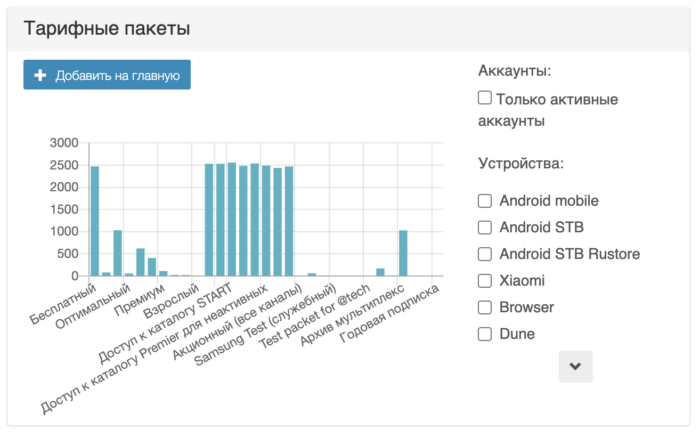

Each of the widgets can be added to the main one so that they appear when opening the admin:
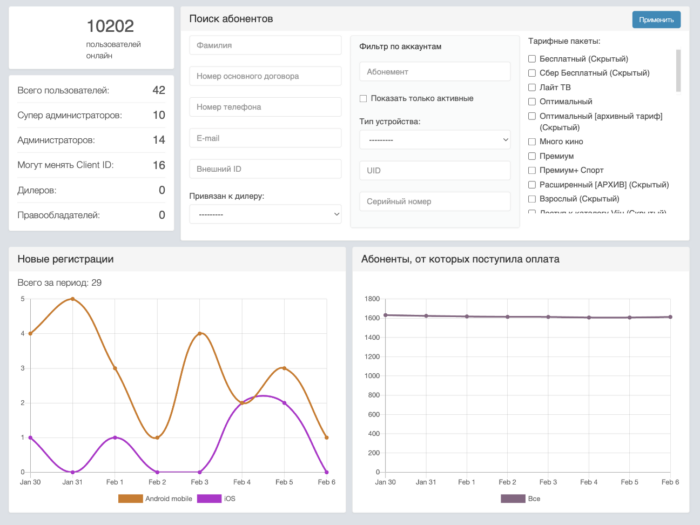
Configuring the subscriber statistics module for MongoDB
To display information inside the tab «Dynamics of subscribers» in the section INSTALLED_APPS in a configuration file other than a module viewstats add a module smartystats .
After adding modules, all missing migrations must be installed by the team
smarty_manage migrate --settings=settings.smartyAnd set up the correct work of management teams cache_max_online and save_stats.
Team cache_max_online responsible for updating the maximum number of online subscribers for statistics. You can run with any regularity, but at least once a day.
Team save_stats responsible for collecting and storing statistics for each client for widgets on the screen «Dynamics of subscribers». You can run with any regularity, but at least once a day.
To work with a large amount of data, it is recommended to configure asynchronous task execution through RQ.
More information about asynchronous tasks can be found in the section «Scaling and fault tolerance» — «Configuring asynchronous task execution via RQ (Redis Queueue)».
Additional teams to collect statistics
Collection of additional statistics for the report on the number of users
smarty_manage collect_daily_stats --settings=settings.This team collects information that is used in payment reports, as well as in charts «Payments today» and «Subscribers who received payment» (and parts of other statistics) screen «Subscriber Dynamics». The command must be executed every day at the beginning of the day (record time is saved in UTC+0).
Data caching for subscriber dynamics graphs
smarty_manage cache_customers_dynamic --settings=settings.The team is recommended to run once an hour. For small bases, the charts will work quickly and correctly and without a given command. At the first run, the command can be executed for a long time (depending on the number of accounts, transactions and tariffs) due to the fact that the data for the entire previous month will be calculated. When restarting, data will only be calculated for the last day or hour (the data is not cached again).
Additional parameters of the team:
-client_id - a list of customer identifiers, through a comma, for which caching is necessary. If nothing is transferred to the argument, then the data is cached for all customers.
