
Starting with the version of Smarty 1.78.3, the operator has the opportunity to configure its own video library for its service, consisting of archival records of films, TV series, programs, etc.
This section displays automatically created collections of recorded programs with filtering by genre.

Release 2.2 added a new mode for displaying archival records — Video Archive. In this mode, a special team make_vodpvr creates Video objects based on past transmissions with archival recording. This mode allows you to display archival records in the general film catalog, as well as enrich the section «Archive» with all the functionality that ordinary films already have — filters, actors, directors, seasons and episodes.
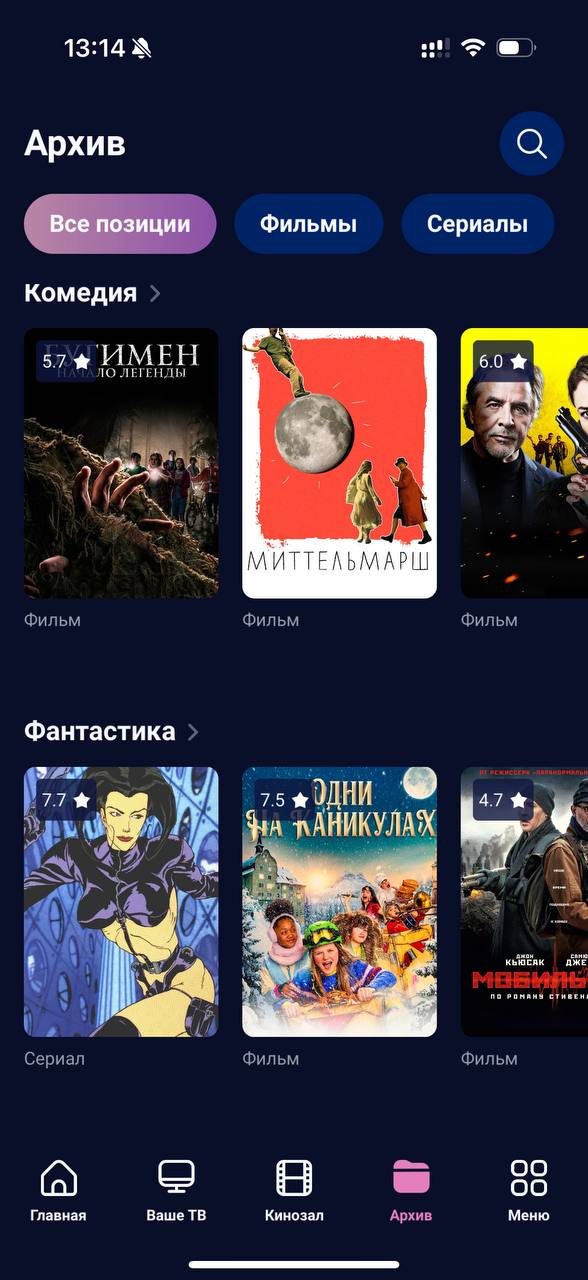
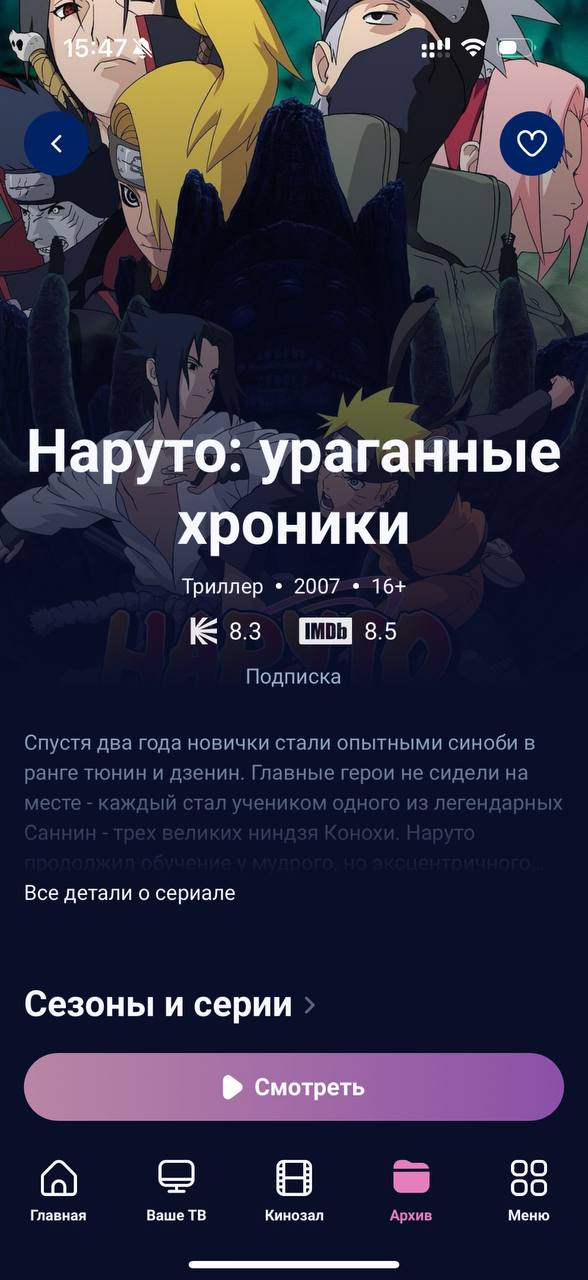
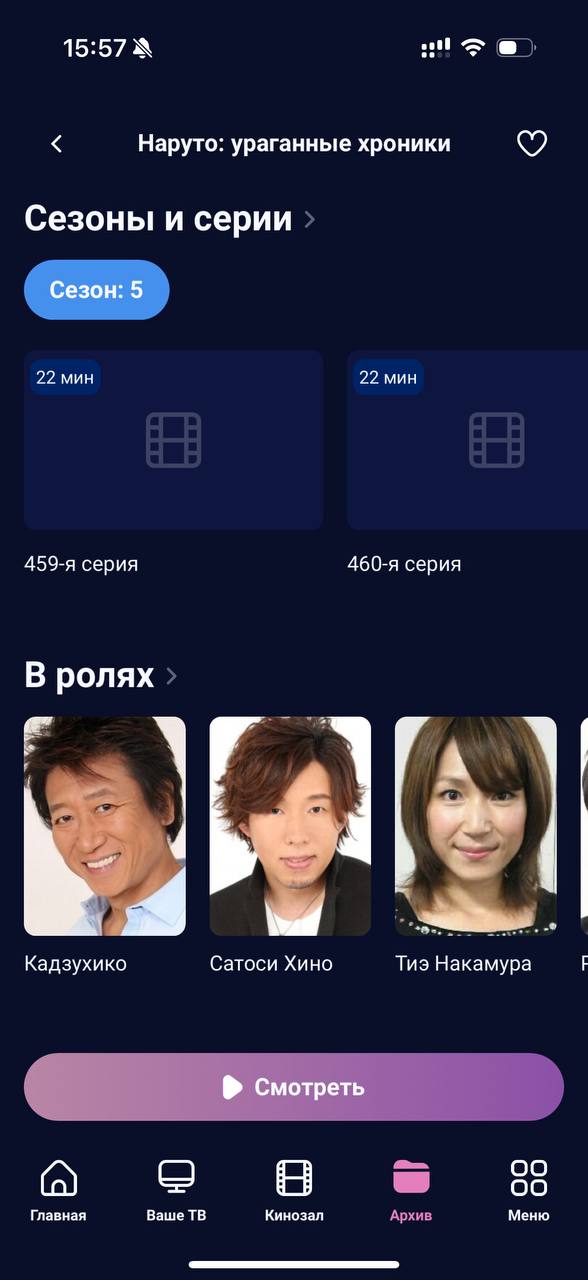
Archive based on EPG collections
1. Configure the categories of archival records
To filter the recordings will be used categories of programs (Program category objects in the Smarty administration service panel), displayed in the sections of TV channels (section «TV by interests » in the template) impulsive, section «TV» in templates futuristic and infinitly). If at the time of setting up this section, these categories have not yet been created, then you should start with instruction by setting them up.
For the EPG-category to be displayed in the section of archival records, you should additionally install a checkbox for it « Use for the list of archival records »

2. Creating selections from EPG
Once EPG categories are configured, you need to create collections for archival records. Selection in this context — this is a combination of program objects in EPG by name (required to combine series of series and programs in seasons, different parts of films — in packages). The selection team:
smarty_manage epg_importcreate_content-settings=settings.
This command should be added to crontab for regular execution (we recommend simply adding the option) create_content c the current EPG import command, as the required frequency is the same.
3. Setting up the caching of selections
Obtaining collections of archival records on the fly is quite a difficult and long request for applications, so to optimize it, you need to add to the list crontab offline caching command collections:
smarty_manage cache_record_list-categories-settings=settings.
The team has 3 possible parameters:
-categories- add filters by category to the cache (for display in the Archive screen in the left column of EPG categories)-genres- add filters by genre to the cache (for display in the Archive screen in the left column of EPG genres) Category_skip_ids - the ability to remove selected categories from the caching program. -genre_skip_ids - the ability to remove the selected genres from caching.-client_idCreate cache only for a specific Client.
The frequency of the launch of this command is recommended to be selected individually for your service, depending on the number of channels with records and server capacity (starting from 20 minutes or more).
To optimize the work of this team, you can use the options below:
TVMIDDLEWARE_PROGRAM_RECORD_LIST_DONT_CHECK_BLOCKS—, with the meaning True true checking the transmission for lockdown is turned off. If the functionality of blocking archive transmissions is not used, we recommend to enable this option.TVMIDDLEWARE_PROGRAM_RECORD_LIST_MINIMUM_LENGTH— excludes from the sample for the screen « Archive » transmissions shorter than N seconds. By default 900.TVMIDDLEWARE_PROGRAM_RECORD_DAYS— excludes from the cache programs older than N days. By default 5.TVMIDDLEWARE_PROGRAM_RECORD_ONLY_FINISHED- meaning True true in the API-method to obtain a list of records in the screen "Archive" will not be transmitted as yet unfinished transmissions. Data type: bool. By default False.
When changing the caching method, it is also worth checking the value of the option filter_archive_by in the portal.
4. Setting up cleaning of outdated collections
When archival records become obsolete, the collections that contained them become empty. To remove empty collections, you should configure the command:
smarty_manage clean_old_records-client_id=1-settings=settings.
Recommended frequency of launch — once a day, but if desired, you can and less often.
5. Inclusion of a new section in the interface
The final step is to configure the new section — enable it for devices in the Smarty administration panel:

6. [Optional] Configuring the return of archival records feeds
In some media platform integrations, it is sometimes necessary to be able to give so-called feeds — meta information about the service content.
Training of feeds is carried out by the management team cache_record_feed:
smarty_manage cache_record_feed-client_id=1-settings=settings.
After testing the command (we suggest adding it to the crown), you can get a list of feeds at the address below:
http://smarty.example.com/tvmiddleware/record/feed/<client_id>
Video archive
1. Setting up mapping genres
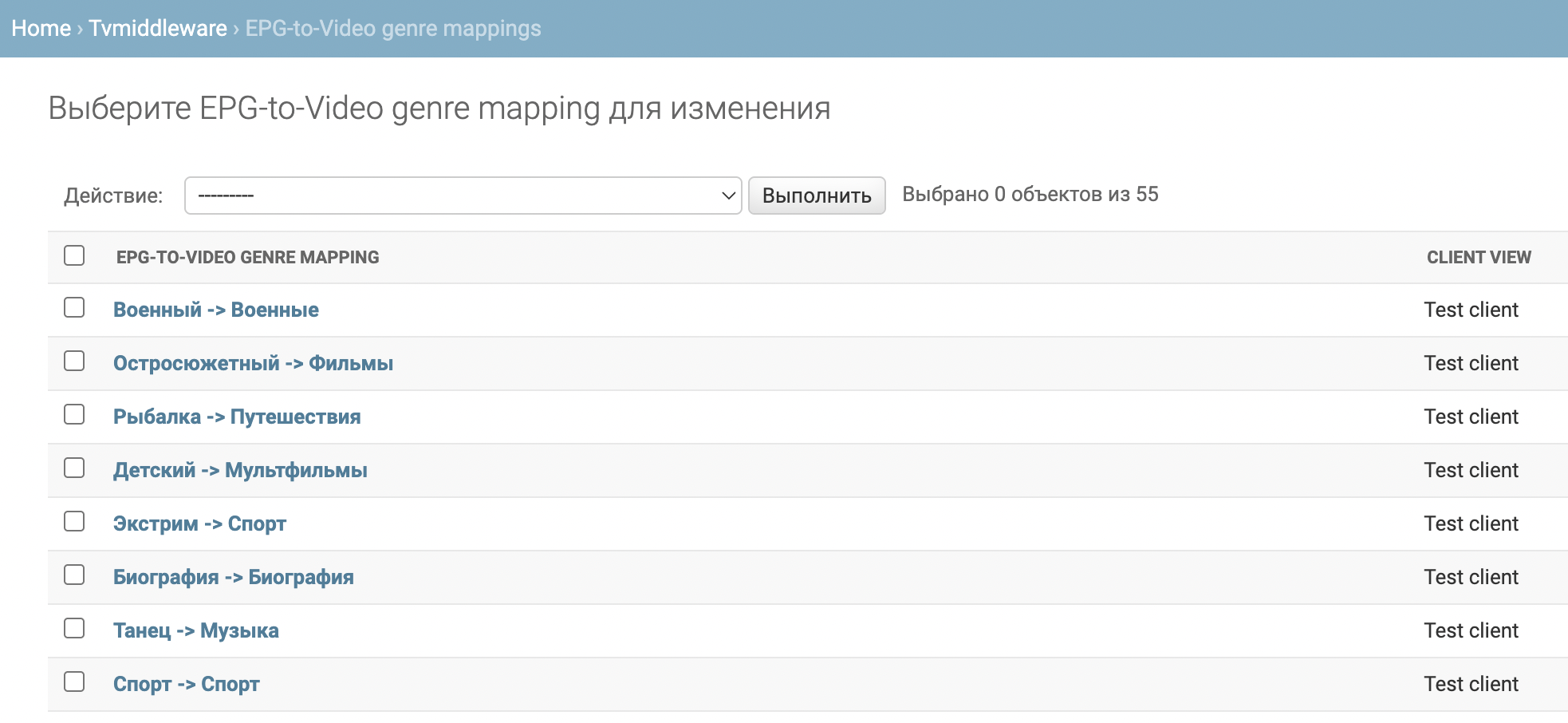
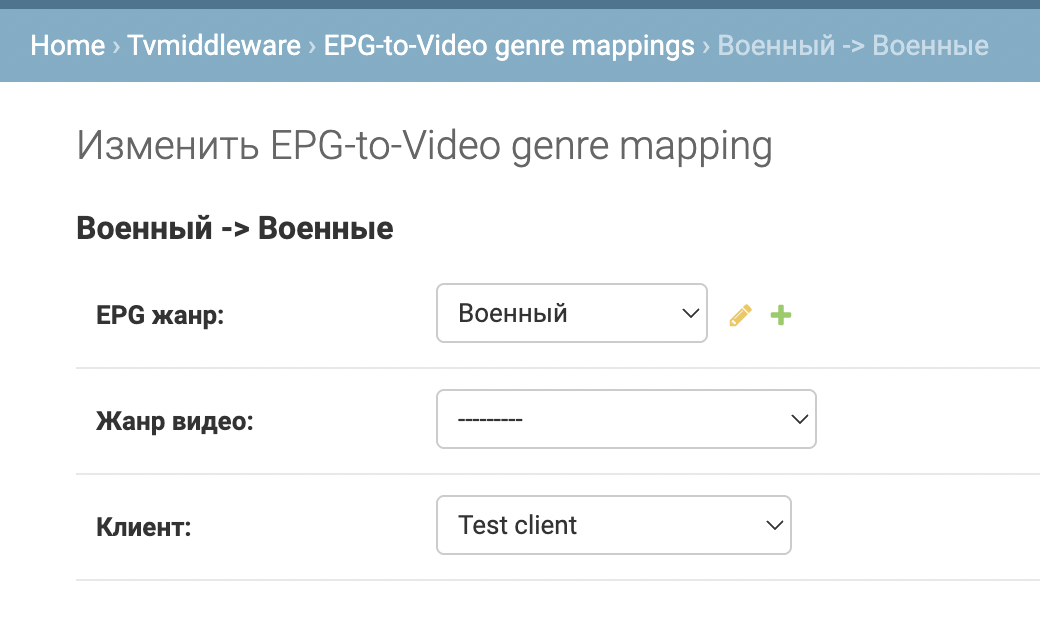
In the Django administration panel, you need to find EPG-to-Video genre mapping objects and create the necessary bundles of video and EPG genres.
2. Verification of EPG source
Make sure you have the right fields in the EPG source:
- posters in 2:3 format, example tag:
<icon type="poster" position="vertical" aspect-ratio="2:3" official="true" text="true" src="http://example/pic/3210202"/>
- episode and season numbers for series, examples of tags:
1
14
3. Setting up the team make_vodpvr
Next, you need to add the execution of the command to the crown make_vodpvrpossible parameters of which can be found in general documentation.
If the EPG source has no season or episode numbers, make_vodpvr it can be considered a series by the name of the EPG category. To do this, an option is set in the Smarty configuration TVMIDDLEWARE VODPVR SERIES EPG CATEGORIES - motorcade names ePG categories (not identifiers), for example 'T/s', 'M/s'.
Example of settings:
TVMIDDLEWARE VODPVR SERIES EPG CATEGORIES = ('T/s', 'M/s')If the series does not have season/series meta, episodes fall into the season "Undistributed episodes" - one episode per transmission, with the name of the type "Ether with DD.MM.GYG CH:MM on DD.MM.GYG CH:MM". A warning appears on the video page that such episodes should be checked manually. A film that has already been created without the show flag can be turned into a series by the "Transform into a TV series" button on the video editing page.
4. Configure the display in applications
Currently «Video archive » supported in the following interfaces:
- new mobile client — there it is displayed by default in the section «Archive »
- templates Sibseti and Redmax — you can enable the display of archival records inside the section «Kinosal » using the option
show_archive_in_vod_screen, and you can replace the new mode the entire section «Archive » using the optionarchive_screen_mode
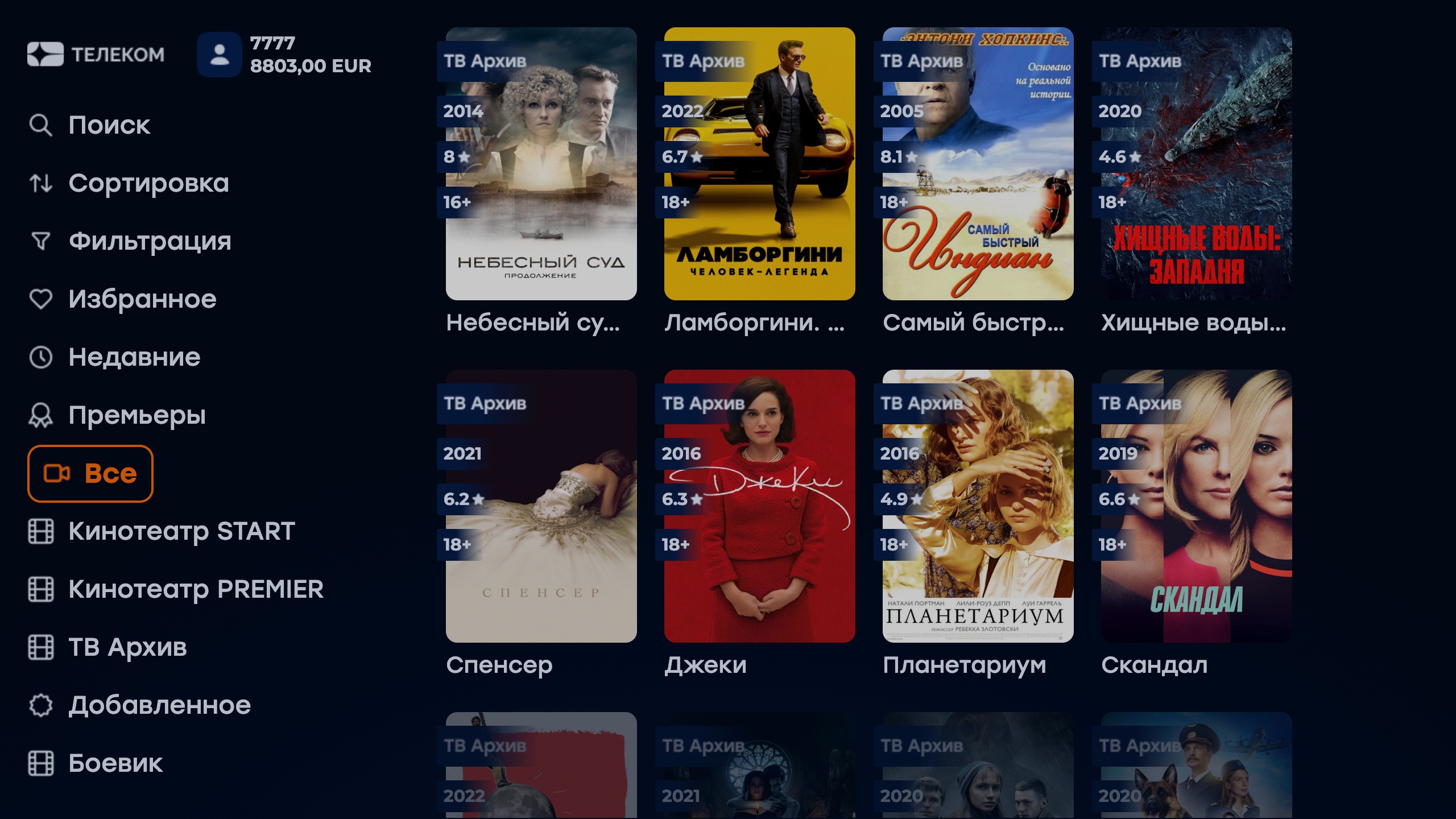
- futuristic — template; you can enable the display of archival records inside the section «Kinosal» using the option show_archive_in_vod_screen.
Frequently asked questions
What is the difference between the first and second way to set up a video library from archive records?
The first method allows you to make archival records in a separate section, preferably in the absence of vertical transmission posters in the EPG source. As well as fresh archival records will appear in the section at each opening — displays everything that has managed to record so far.
The second method is suitable for those who want « mix » archival records in the section « Video » and is also a more optimized tool for displaying archival records in a separate section (at the moment a separate section is available only for the Sibseti template). This requires vertical transmission posters at the EPG source.
Where do the covers (posters) for collections come from in the section «Archive»?
The cover of the collection uses a preview of the program imported from the EPG source. If the EPG source does not provide a transmission preview, the application displays a standard stub picture for the selection.
How is the depth of archival records configured for this section?
The depth of the archive coincides with the configured depth of the archive for the channels (configured for the streaming service and redefined on the channel page). However, in the event that the configured depth of the archive for the channel is greater than the depth of the existing program, the depth of the recording will be limited by the depth of the existing program.
Is it possible to separately charge access to this section for subscribers?
The old regime: the subscriber will be available records from all available channels.
For recordings from channels « with locks » when you start, a warning about the inaccessibility of recording will be displayed, or a stream stub and banner will be shown.
The new regimetariffs for created archival films are specified in the team for their creation at the configuration stage.
In which templates is this section already available?
At the moment in the templates futuristic (old mode + option « mixing » archival movies in the Video Library), sibseti and red.
Why in the new mode does not work rewinding archival films, but in the old one works?
Rewinding recording in the old mode is not made by the player, but by re-requesting the link to the stream from a specific position, rewinding in the new mode works with the player, so for the correct operation of rewinding in the new mode, we recommend using archive streams in the HLS format.
