
Contents
show off
Smarty supports radio stations. To add a radio station, go to the section "Content settings" - "Radio stations"create a radio station and specify the parameters of the radio station:
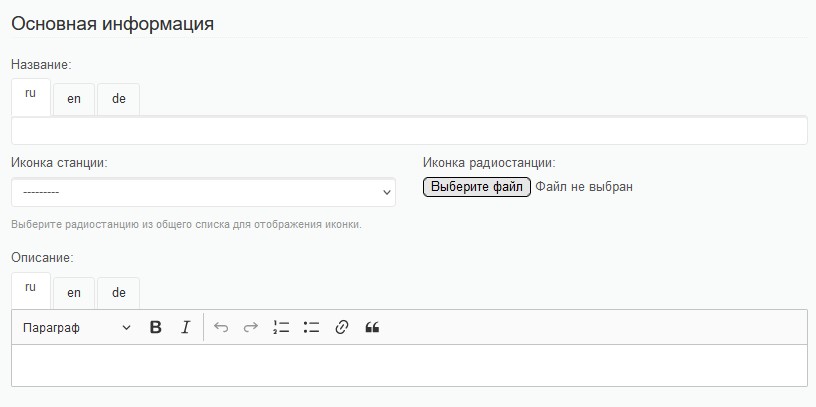
Basic information block
Title - the name of the radio station. It will be displayed in the portal.
Radio icon there are 2 possible options for choosing a radio icon:
- Select from the drop-down list - in this case, the icon of the radio station that was added earlier will be selected (this option can be used if another stream of the same radio station is added);
- Download the icon – if no other radio stations have previously been downloaded or another radio station is loading, you can download the radio icon.
Description - description of the radio station. Could be on the portal.
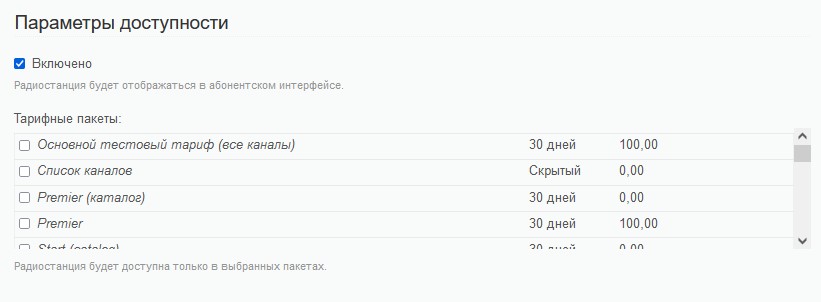
Availability parameters block
Check "Included" allows the radio station to be turned on/off regardless of other radio parameters.
Tariff packages it allows you to choose the tariff plans within which this radio station will be available.
Broadcasting parameters
Address of the flow in this line, you can specify the address of the radio station stream.

