Brief instruction
For the channel to appear in the portal, it must be created and configured in Smarty. To do this, you can limit yourself to a short algorithm of actions:
- Open the screen “Content Settings” – “Channels”;
- Press the button "Creating a Channel" and specify the following parameters:
- Channel Information Block:
- Specify the name of the channel - this name will be displayed in the portal;
- Select the EPG program for the channel (the program is manually configured or imported from the appropriate source - more in "Configuration and maintenance of Smarty" - "Import of EPG and content metadata"). After that, the channel will display the corresponding program of the channel, and the channel icon corresponding to this program of EPG programs will be displayed.
- Availability options block: specify the tariff plan under which this channel will be available.
- Broadcasting parameters:
Specify streaming services and channel URL prefix
or
Specify the Multicast and Multicast channel streaming service
or
Specify a direct stream URL.
After that, the channel can be considered configured and ready to view. The channel will appear in the portal after the execution of the management command:
smarty_manage cache_channel_list --settings=settings.smartyThe above algorithm does not cover the entire spectrum of channel configuration capabilities. In fact, Smarty has a much wider range of capabilities. Below is a list of channel configuration blocks available in Smarty, with a description of their parameters:
Channel Information Block
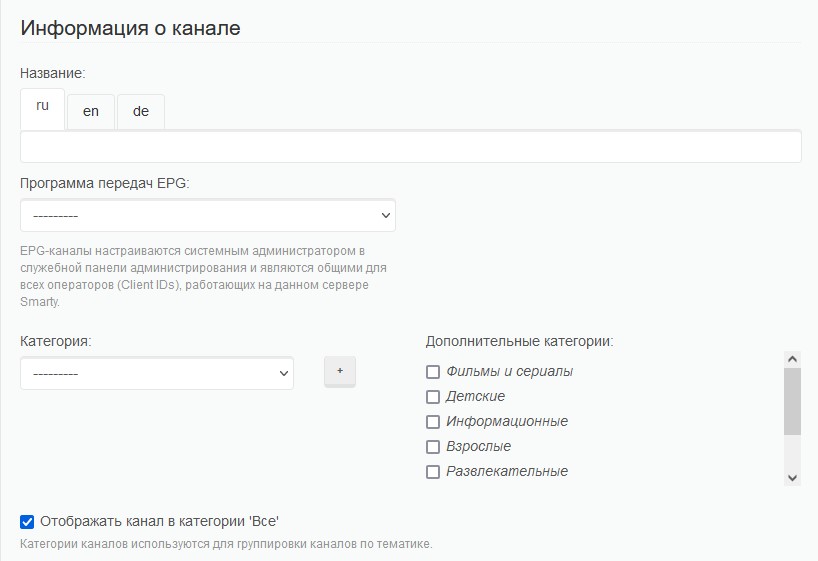
Title - the name of the channel. This name will be displayed in the portal for users of the service.
EPG transmission programme Due to this parameter, the channel program, channel icon, preview images for programs, description of programs and their age rating are determined. You can read more about the configuration of the EPG transmission program in the corresponding article.
Category Television category of the channel. Additional channel categories can also be specified. This parameter is necessary to determine the category of the channel (not in all templates). For ease of administration, it is recommended that the “Category” in Smarty corresponds to the channel category in the django admin.
Display the channel in the “Everything” category In the absence of a tick, the channel will be available only in the category corresponding to this channel. If there is a tick, this channel will be displayed in the category of the portal "All channels".
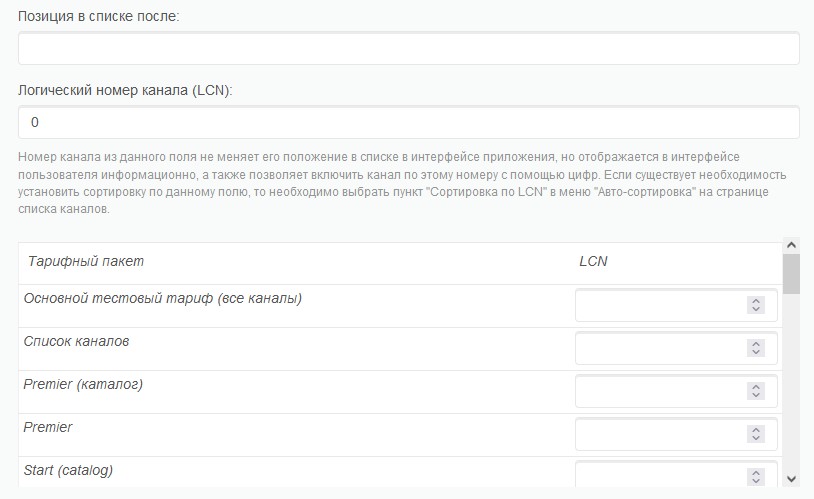
Position on the list after The position of the channel in the list of TV channels. If this field is left empty, the channel will automatically take up a position after the previous channel (if the default sorting is used).
Logical Channel Number (LCN) The logical channel number that will appear in the channel list in the portal. Not to be confused with the channel sorting number, since these are two different parameters – a logical number is needed to start this channel when dialing it in the portal (can be used as a sorting number if the sorting type “LCN sorting” is selected). If there is no logical channel number, then the channel will be available according to its number in sorting.
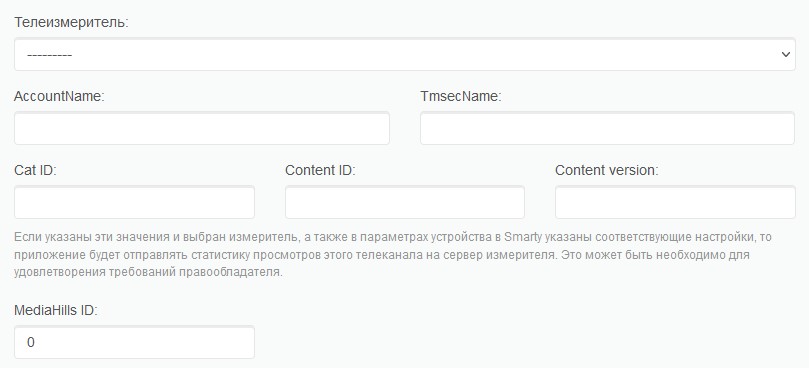
Telemeter unit
This configuration unit of the channel is necessary to configure the sending of statistics to the right holder or integrator of the channel.
HBB Providers Block
This configuration unit is designed to configure the interactive for the channel. You can choose a service provider (created in the "General settings" - "HbbTV providers"), as well as specify the channel ID corresponding to the channel of the source of the interactive.
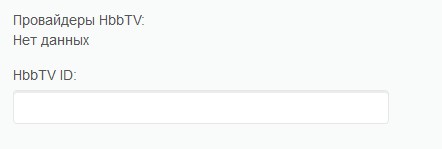
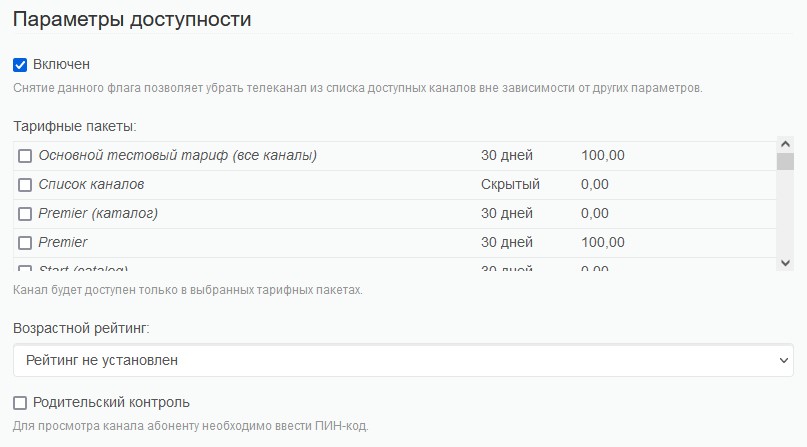
Availability parameters block
Included Whether the channel will be displayed or not. By default, the channel will be turned on. You can remove the box for this channel if you need to temporarily remove this channel from the available ones.
Tariff packages The condition under which the channel will be available to the user. If the user does not have a tariff plan corresponding to this channel, the channel will not be available for viewing. If you select a tariff with the type “Display content in the list without the possibility of launching”, the channel will be displayed in the list of channels when selecting which will display a list of tariffs where this channel is available for viewing, or will play a stub (depending on the options of the portal).
Age rating if the template implements the function of profiles (age ratings), then the channel will be available only when choosing a profile with the corresponding (or higher) age rating.
Parental control If enabled, the channel will be available via PIN. It is recommended to use for channels with a rating of 18+.
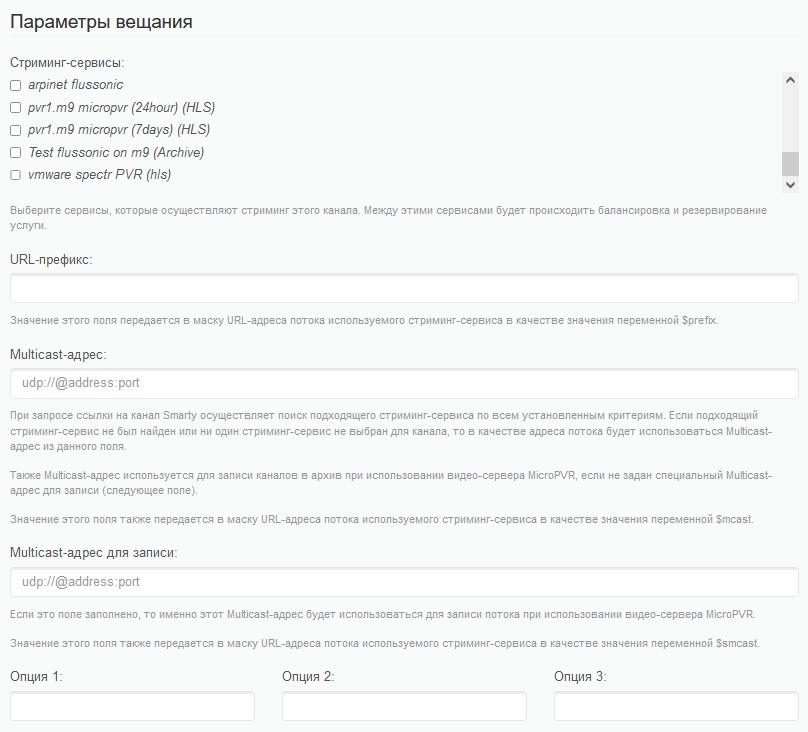
Broadcasting parameters
Streaming services - here you can specify streaming services, which are broadcasting and written archive. More about streaming services can be read in the corresponding article.
URL-prefix - necessary for substitution in the mask of streaming services.
Multicast channel address - if the channel is broadcasted through Multicast, then in this line you can specify the address (you also need to create a streaming service such as "Multicast" and link it to this channel).
Multicast address for recording In this field, you can specify a Multicast address to record the stream. This parameter may be relevant if different addresses are used for live broadcasting and recordings.
Channel options This option is needed to transfer additional parameters to the URL mask (can be used to transfer higher quality video, audio tracks, subtitles and other features).
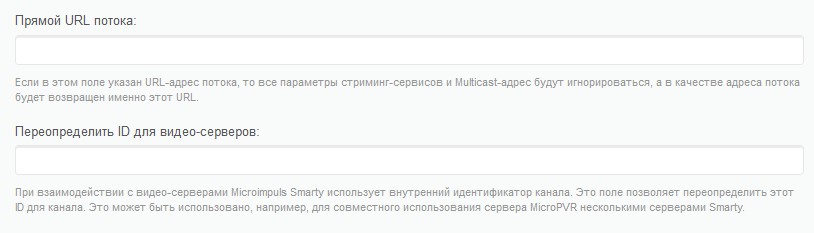
Direct stream URL - allows you to transfer the direct URL of the channel stream. If a direct stream URL is specified, all other broadcast parameters will be ignored.
Redefine the ID for video servers - allows you to override the channel id for, for example, a server with archival transmission records.
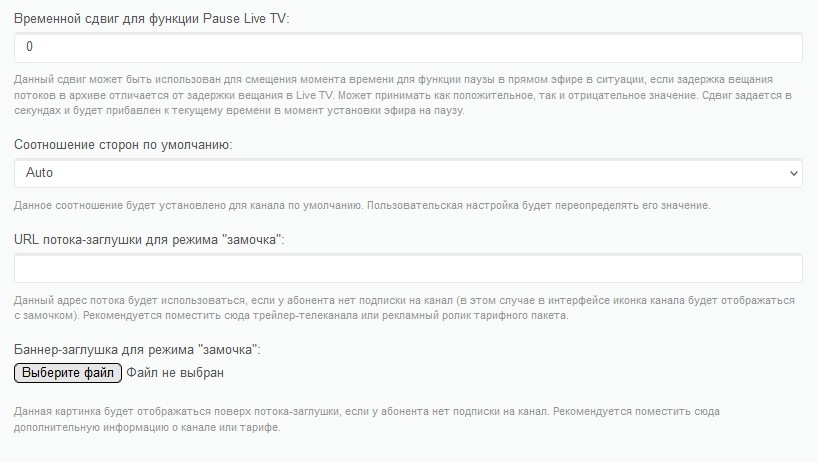
Time Shift for Pause Live TV Thanks to this parameter, you can set the time offset for the pause function in live broadcast. It can be used in certain situations (for example, if the broadcast delay on the live stream server is greater than on the recording server).
Default aspect ratio This option allows you to change the default aspect ratio of the channel (for example, you can set a 4×3 resolution for channels with archival chronicles or classic films). The option can be ignored by the portal options (you can read more in the section) “Portal and Application Settings”).
Stream-stub URL for lock mode - if the portal option for running a stream or a stub banner is enabled, then for tariffs with the access type "Display content in the list without the possibility of running it" instead of a notification with a list of tariffs that provide access to viewing channels, this stream will be launched (this parameter has a higher priority than the banner stub).
Banner stub for lock mode - if the portal option for running a stream or a stub banner is enabled, then this banner will be displayed for tariffs with the access type "Displaying content in the list without the possibility of launching it.".
Recording parameters
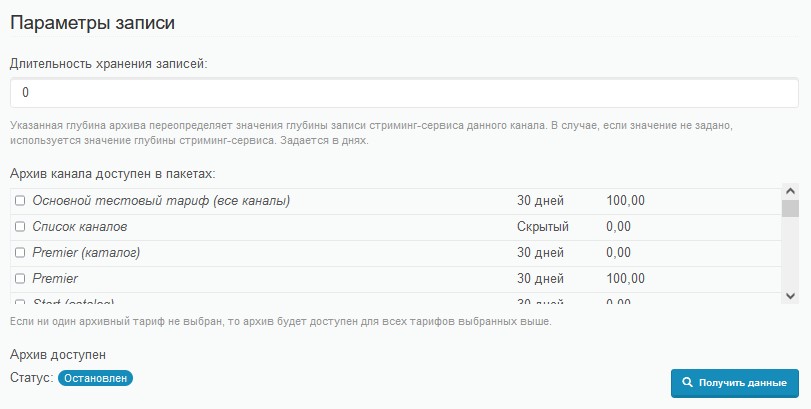
Duration of retention of records - default 0. You can give any other meaning. If the value of this parameter exceeds the number of days (or the value of 0) specified in the streaming service settings, its value will be ignored.
Restriction of archives on tariff with this option, you can add a restriction of access to the archive of records (if necessary, additional monetization of the archive function).