
Sibseti - Smart TV application interface
Sibseti is one of the ready-made Smart TV application interfaces on the Smarty platform. This is what the subscriber of the operator sees on the TV screen: the main screen with content, TV channels, an archive of programs, a cinema, a personal account. The communications operator launches its own Internet TV service under its own brand on this interface - with brand design, its tariffs and a set of services. Below we will analyze the screens, how the interface is arranged and what it gives the operator and its subscribers.
Multi-platform application developed in collaboration with the company Siberian networksbecomes seventh public template on which the operator will be able to launch its own branded internet tv service smarty Middleware Platform.
Main page of service
The main page of the service is the business card of the company. It should remain bright and informative.

Let us tell you more about what this screen consists of:
- Company logo: Modible element. The operator manages the placement of the logo directly from the admin;
- Personal account: clickable button, which will not only tell about the status of the personal account and subscriber number, but also make a quick transition to the subscriber's page in the application;
- Widgets: time and weather forecast are the most popular widgets of operators using our platform;
- Main menu tape: navigation through the application pages, the order and composition of the main menu elements is controlled from the admin;
- Advertising banner: a variable element. It is set dynamically and does not require reassembly/republication of applications;
- Novelty cinema: endless dynamic tape with novelties from the video library of the operator.
Television channels
Screen Television channels An important page of any IPTV/OTT service. In Sibseti, a subscriber in a few clicks on the remote can implement any of the most popular user scenarios: navigation in TV categories, recent TV channels viewed, favorite content or standard surfing on a TV program.


Archive
Screen Archive This is the internal media library of the application, which is collected from the transmissions available for viewing using Catch-UP technology.
If the transmission has a record, it enters the media library. If it has several series or issues, they will gather in convenient collections.


Cinema
Smarty Middleware platform provides integration anyone cinema to the operator service. The platform’s comprehensive API allows for the integration of a new VOD provider in a few days or the introduction of the operator’s own cinema hall into the TV service.
From the popular integrations available, we offer operators the connection of cinemas START, Premier, More TV, Viju and MEGOGO.
The application interface makes viewing VOD content not only fascinating, but convenient. This allows you to increase customer engagement in the TV service, while increasing the customer’s LTV, increasing the average check on additional subscriptions.


Search
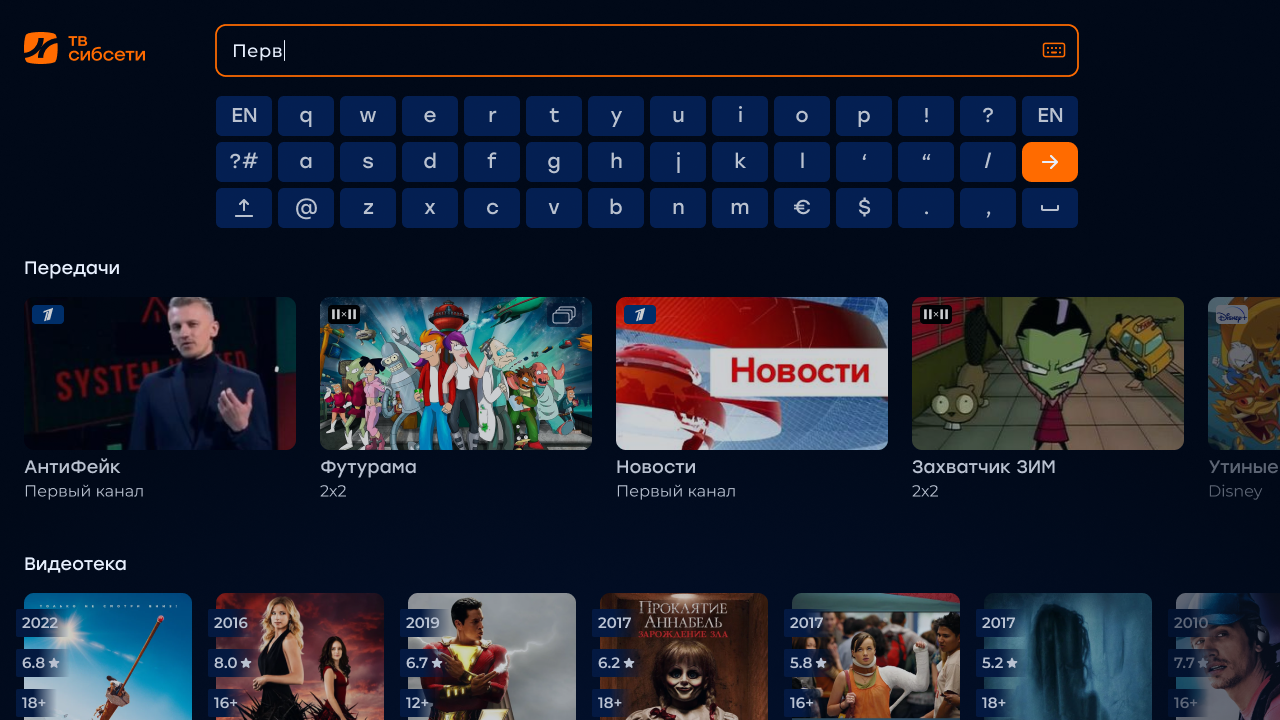
Updated screen Search it has the same functionality of the platform, but is sharpened for fast navigation among content categories. Three feeds: channels, transmissions and video library will be sorted on this page according to which part of the search in the application was called from.

Authorization
As before, in Smarty Middleware, any of the possible forms of subscriber authorization in the service is available:
- by ip, mac or serial number of the device;
- by a pre-known login and password from the application;
- authorization or registration by phone number with confirmation by call, sms or any other possible bundle.
Each of these models continues to work in the updated interface.


Settings and Personal Account
Updated page functionality Settings and Personal office It is a flexible and deeply customizable integration with the billing operator or built-in billing Smarty.
Here, the subscriber will be able to manage service tariffs, send applications for the purchase of additional operator services, make changes to the application settings.


How to test the service on the Sibseti interface
The presentation and testing of the application takes place in two stages: the online presentation of the platform from the Microimpuls team, then the application / platform test on the operator’s devices.
Everything you need to get answers to questions that have not yet been found is hidden under the feedback form below. It is enough to write your contact, name, and the company you represent.
