
IPTV/OTT Advertising: 11 Monetization Tools
For a modern telecom operator, the IPTV/OTT platform is not only a way to deliver content, but also a powerful communication tool with a subscriber. Smarty Platform from Microimpuls it offers a wide range of advertising and information opportunities that not only promote its own services and content, but also open the way for additional monetization through partner integrations.
In this article, we will discuss in detail what advertising tools are available in Smarty and how they help solve the operator’s business problems.
1. Banners on the main page of the application
The main page is the “face” of your service and the most visited place in the application. Background banner on the main adjust as flexibly as possible and allows you to close a wide range of tasks: from notifications about technical work to the promotion of new tariff plans, equipment or special promotions.
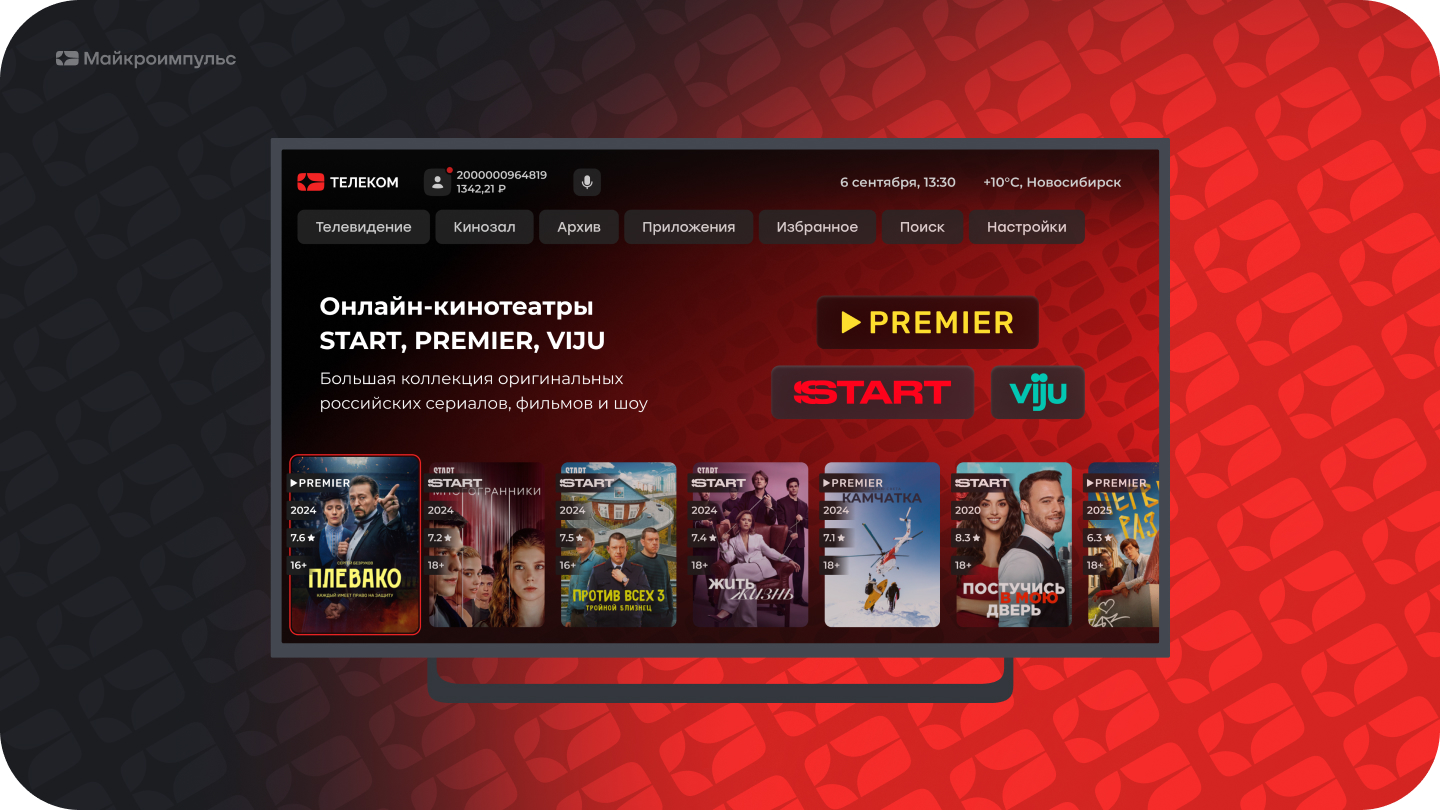
*Available in the Sibseti interface
2. Targeted advertising in children's mode
Also, a separate background image can be configured for a child profile. It is an ideal platform for promoting children’s content, new cartoons or special offers for a family audience. Such spot advertising is perceived by users more loyally and shows high efficiency.
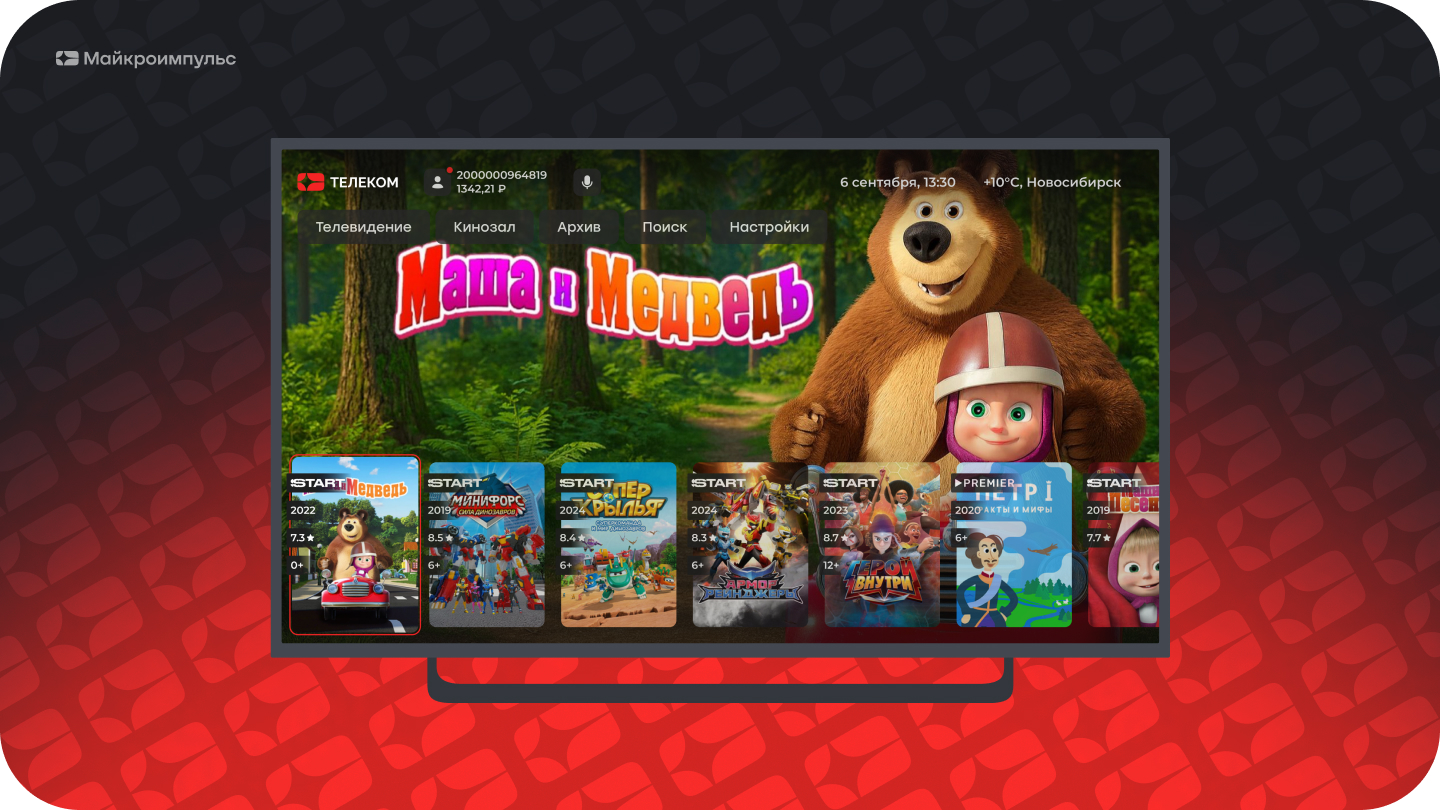
*Available in the Sibseti interface
3. Promo content: banner with the transition to the film card
Do you want to increase the views of a particular novelty? In Smarty, you can place a banner with a poster of a certain movie right on the main page and add a “Watch” button. Clicking on it instantly sends the user to the movie card. This is the shortest way from advertising to content consumption.
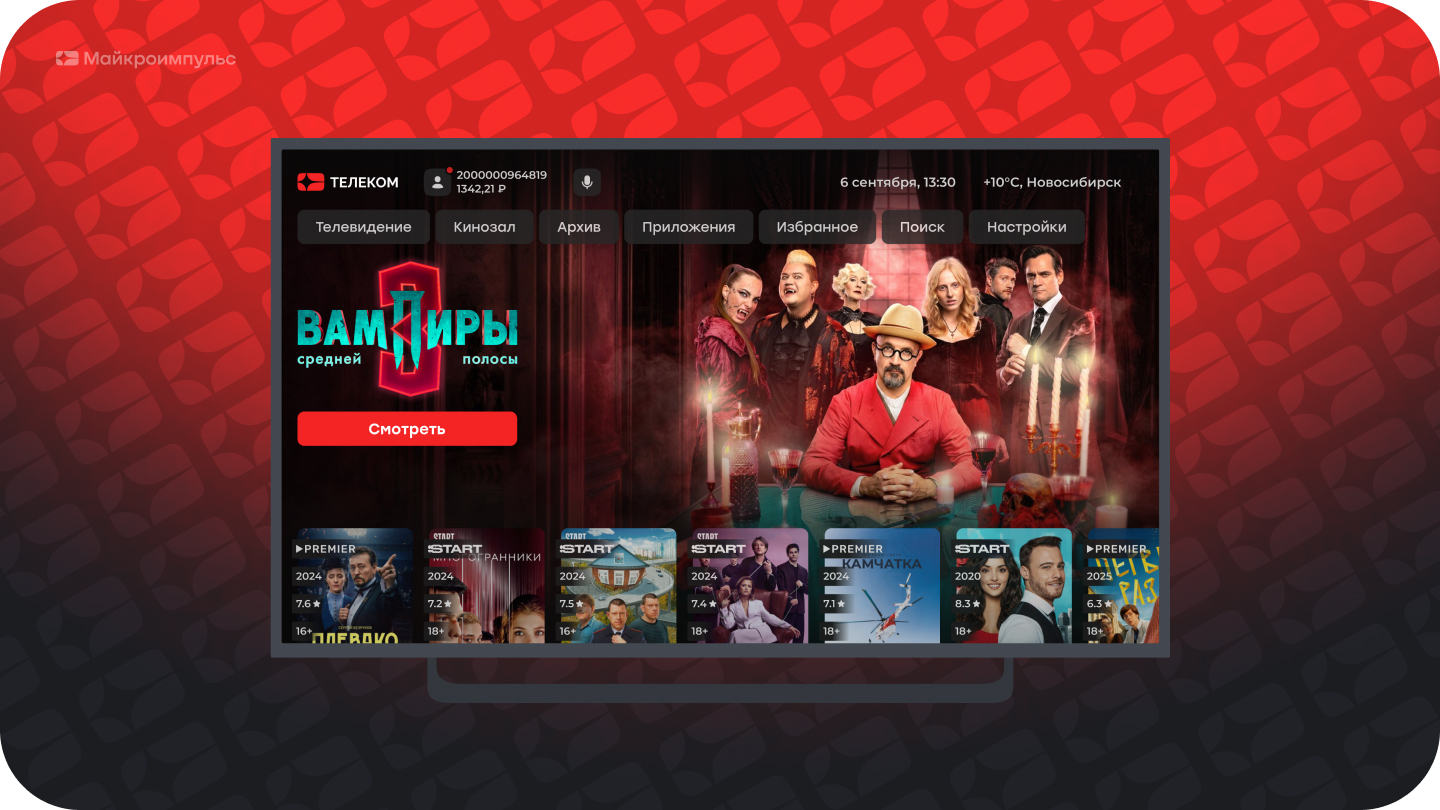
*Available in the Sibseti interface
4. Push notifications on TV and mobile devices
An important communication tool is push notifications, which can be displayed both on the TV screen and sent to mobile devices of subscribers. With their help, you can quickly promote new content, notify about profitable promotions or warn about planned technical work. This ensures that an important message does not go unnoticed.
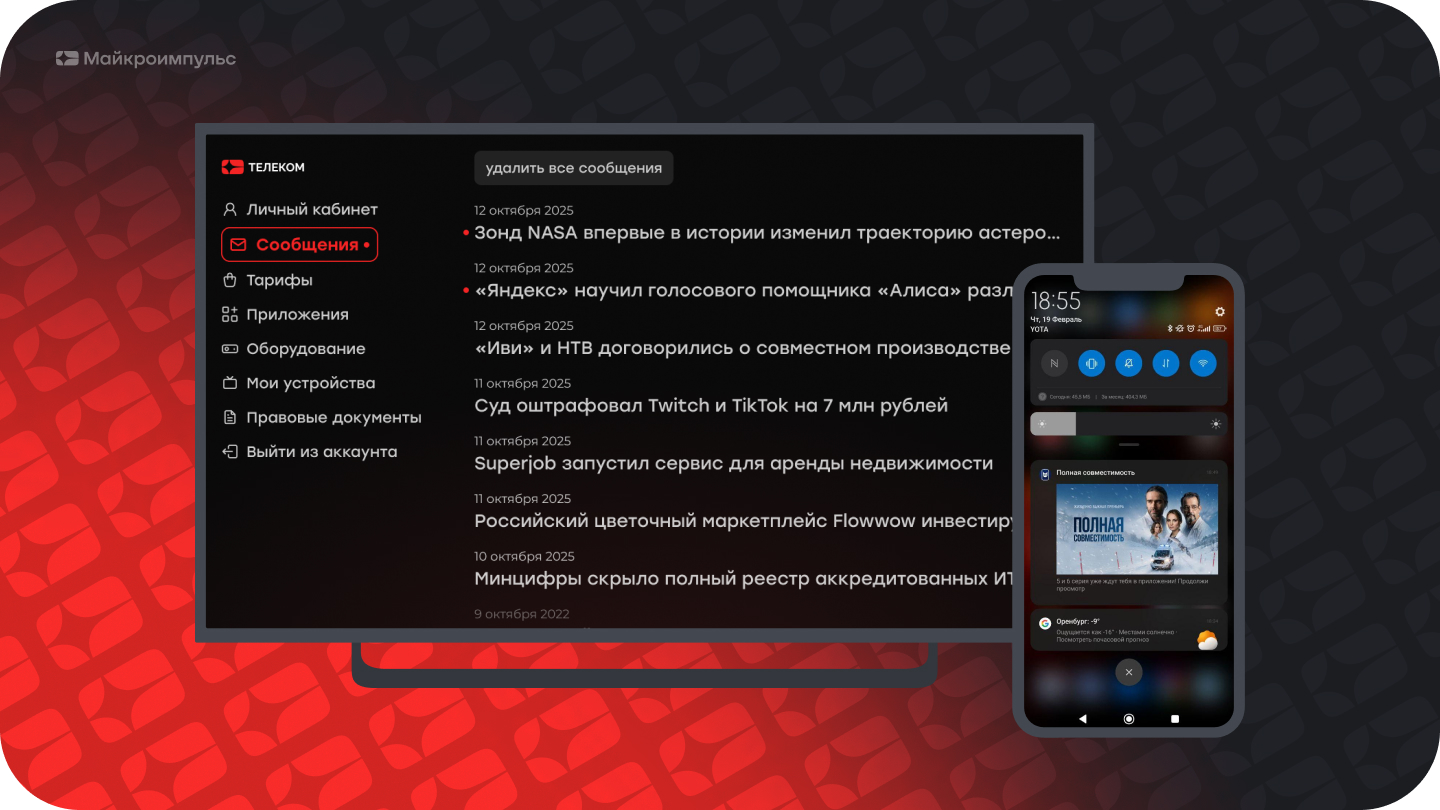
5. Displaying Closed Content: Incentive to Upsale
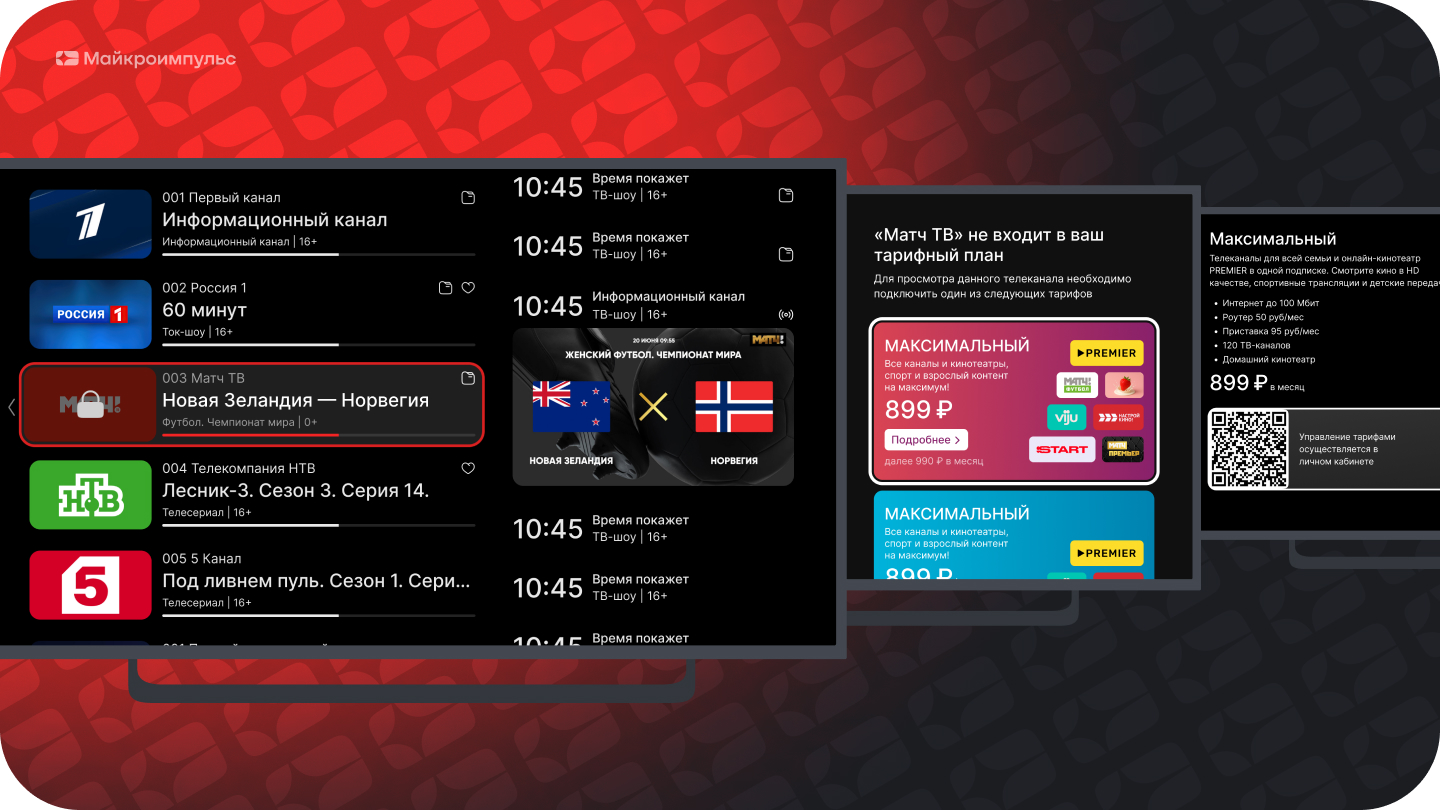
An effective way to advertise more expensive packages is to output content that is not connected to the subscriber directly to the general list. Channels or movies are displayed, but their logos are covered with a lock icon. This clearly demonstrates the available variety of content to the user and simplifies the process of switching to an extended tariff.
6. Pre-roll (video) before launching content
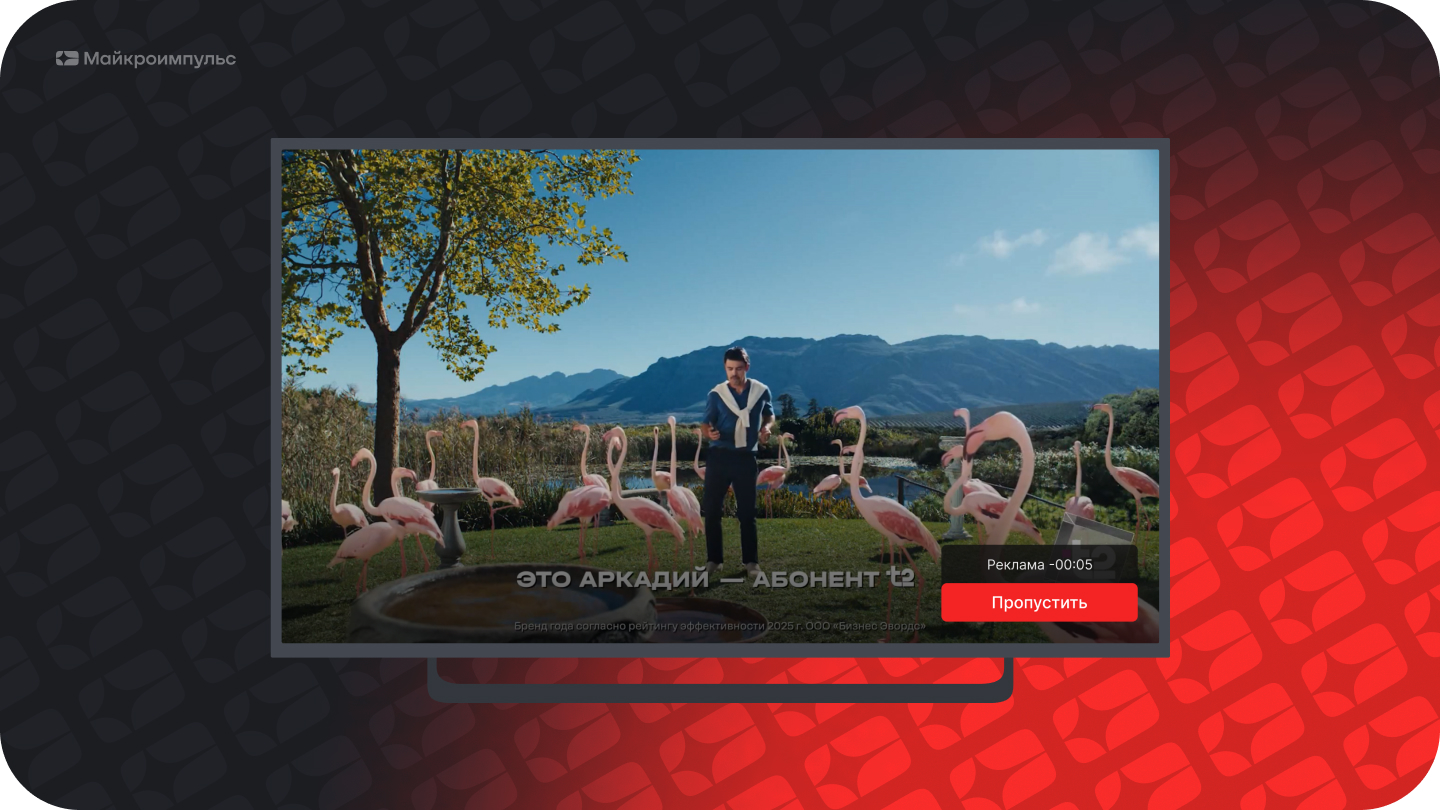
Smarty allows you to customize the display of commercials before the broadcast of a TV channel or film. The tool has deep targeting: you can set parameters by tariff plan, device type, geolocation, display time and even the number of launches per day. It is also possible to adjust the possibility of skipping the video after a certain time.
7. Automation of advertising through external providers
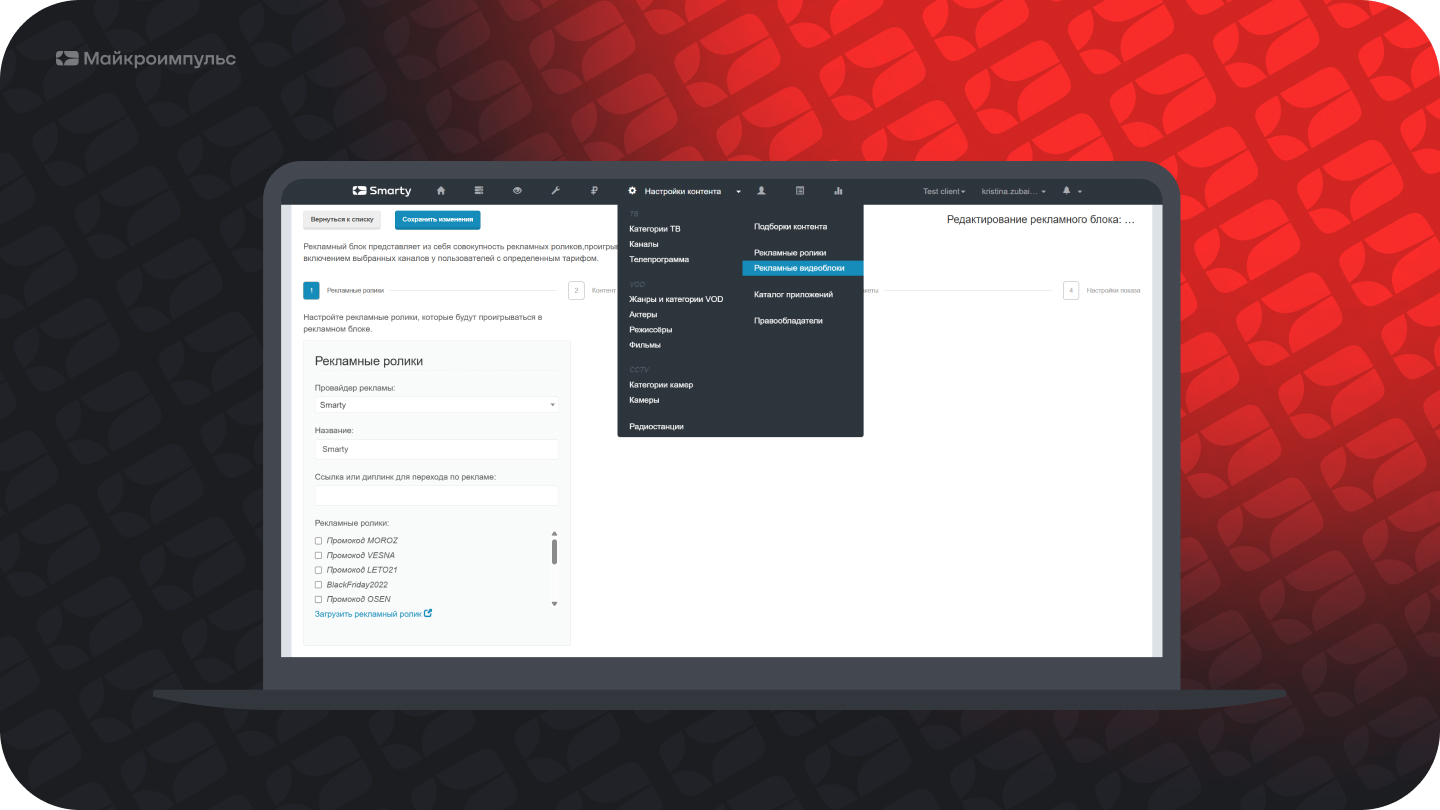
For operators who want to monetize their base effortlessly, Smarty supports integration with advertising providers. You just allocate a certain part of the subscriber base, and the provider automatically delivers commercials and pays you for impressions. This is a great way to turn the platform into a source of passive income.
8. Widgets: quick access to services and payment
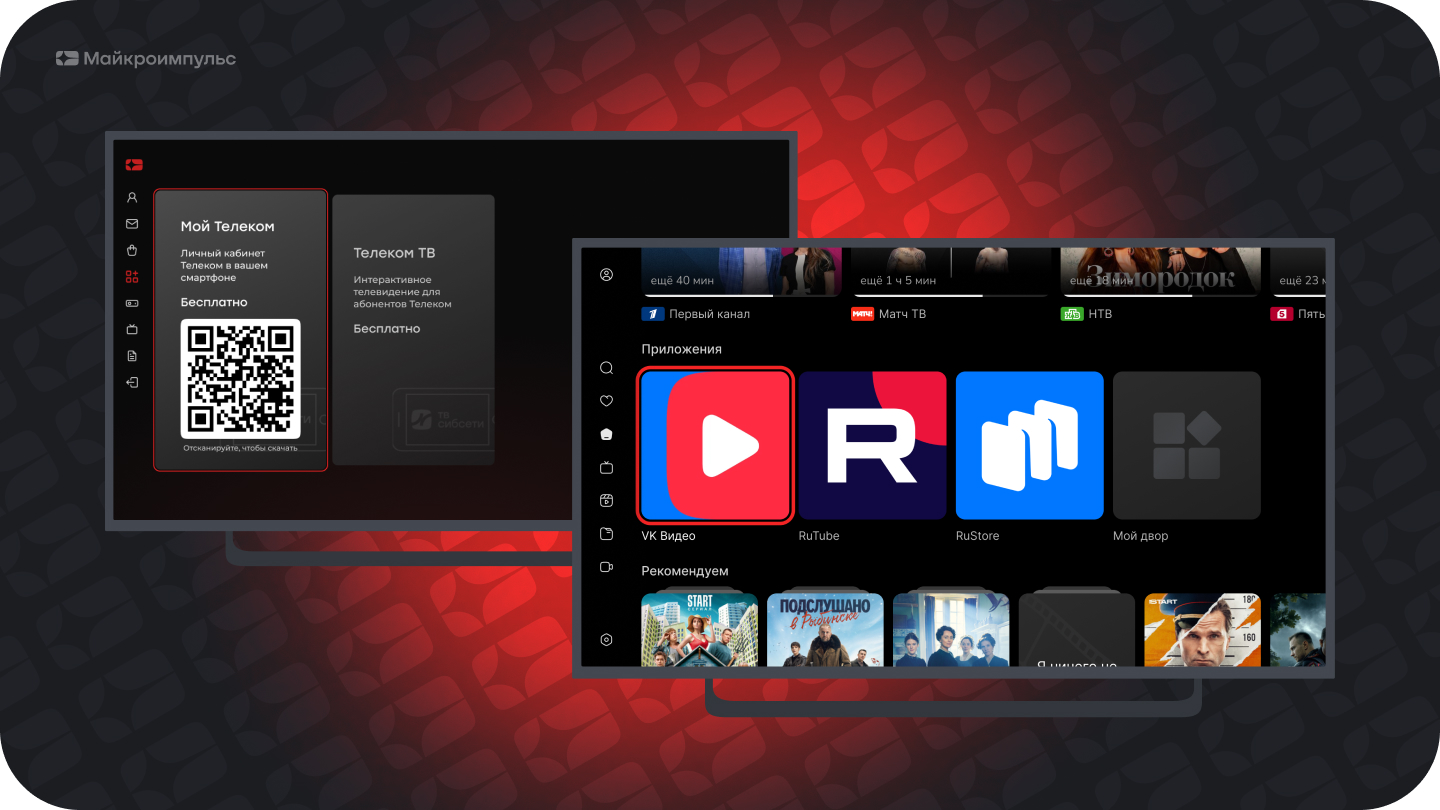
Interfaces support the display of widgets — special entities that allow you to place links to external resources in the application. It is a one-stop solution for linking to payment forms, partner services or the operator’s internal products. On a number of devices, such banners can be clickable, providing an instant transition to a targeted action.
9. Castomy selections and content tapes
Smarty allows the operator to display on the main page feeds of content, grouped on any basis: genre, director, copyright holder or author's selections (for example, "Favorites"). In the new Titanium interface such tapes are a powerful tool for controlling the attention of the viewer, allowing you to highlight priority content.
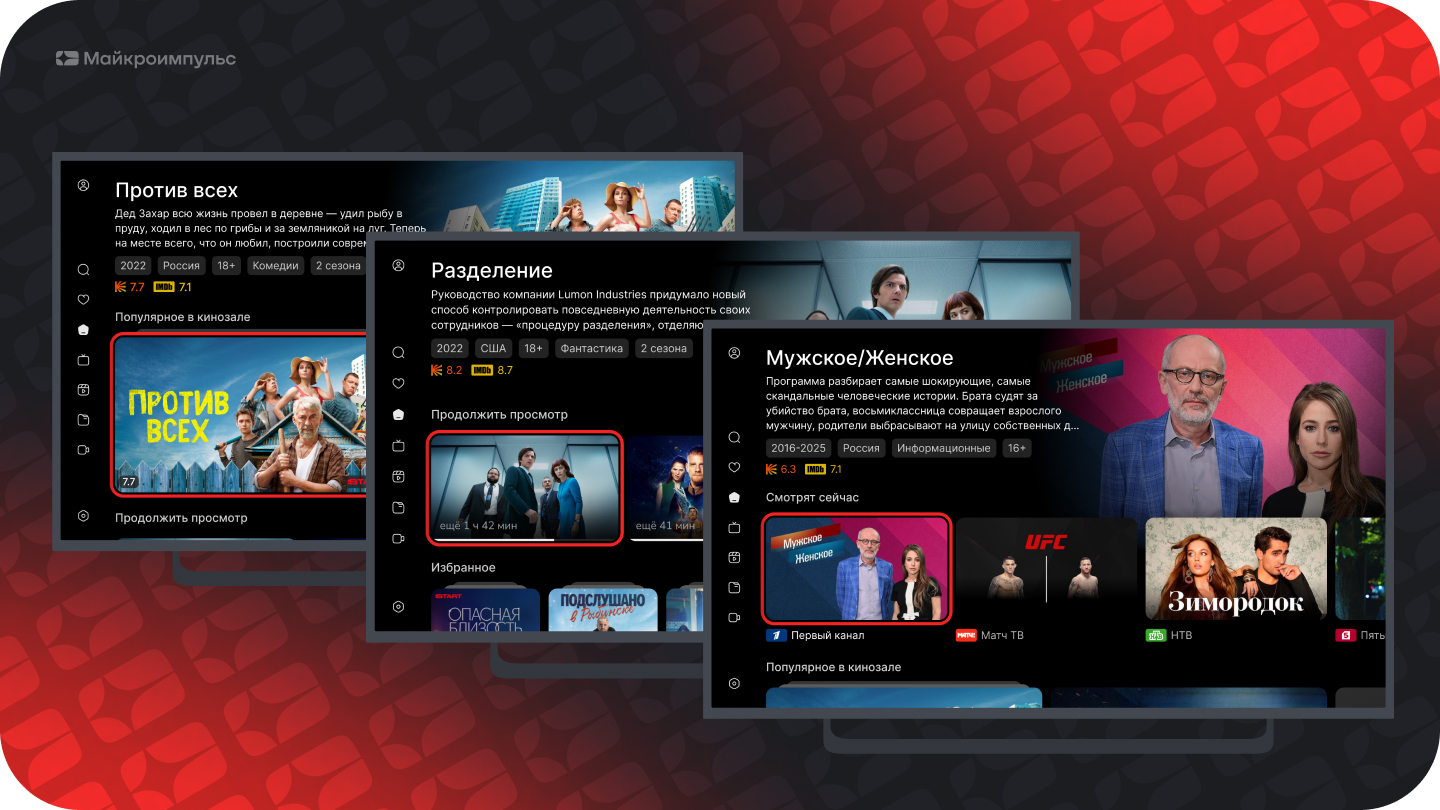
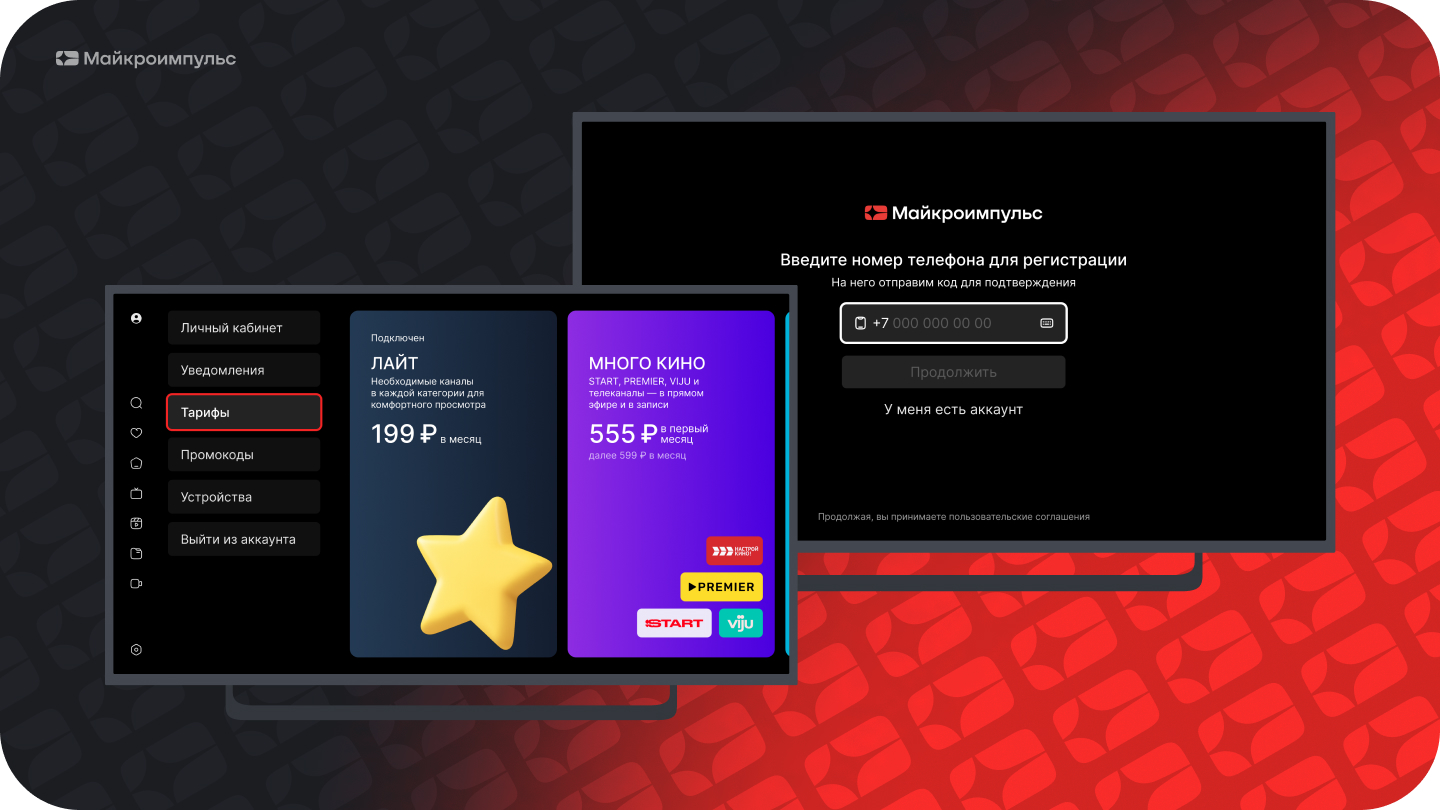
10. Transition to full OTT mode with in-app sales
In addition to the classic scheme in which the billing operator creates subscribers, manages their services and cash flows, Smarty also allows you to implement reverse integration scenarios, in which the initiator of action is the application, not the billing system. Subscribers can independently register, buy and disable tariffs, replenish the balance directly from the TV screen. This turns your app into a full-fledged sales showcase running 24/7 without staff involvement.
11. Targeted notifications and congratulations to subscribers
In the release of Smarty 2.8 there is an opportunity to display advertising banners on the main page point for certain groups of subscribers. The tool is ideal for advertising services in a specific service area, informing narrow segments of the base and even for personal birthday greetings.
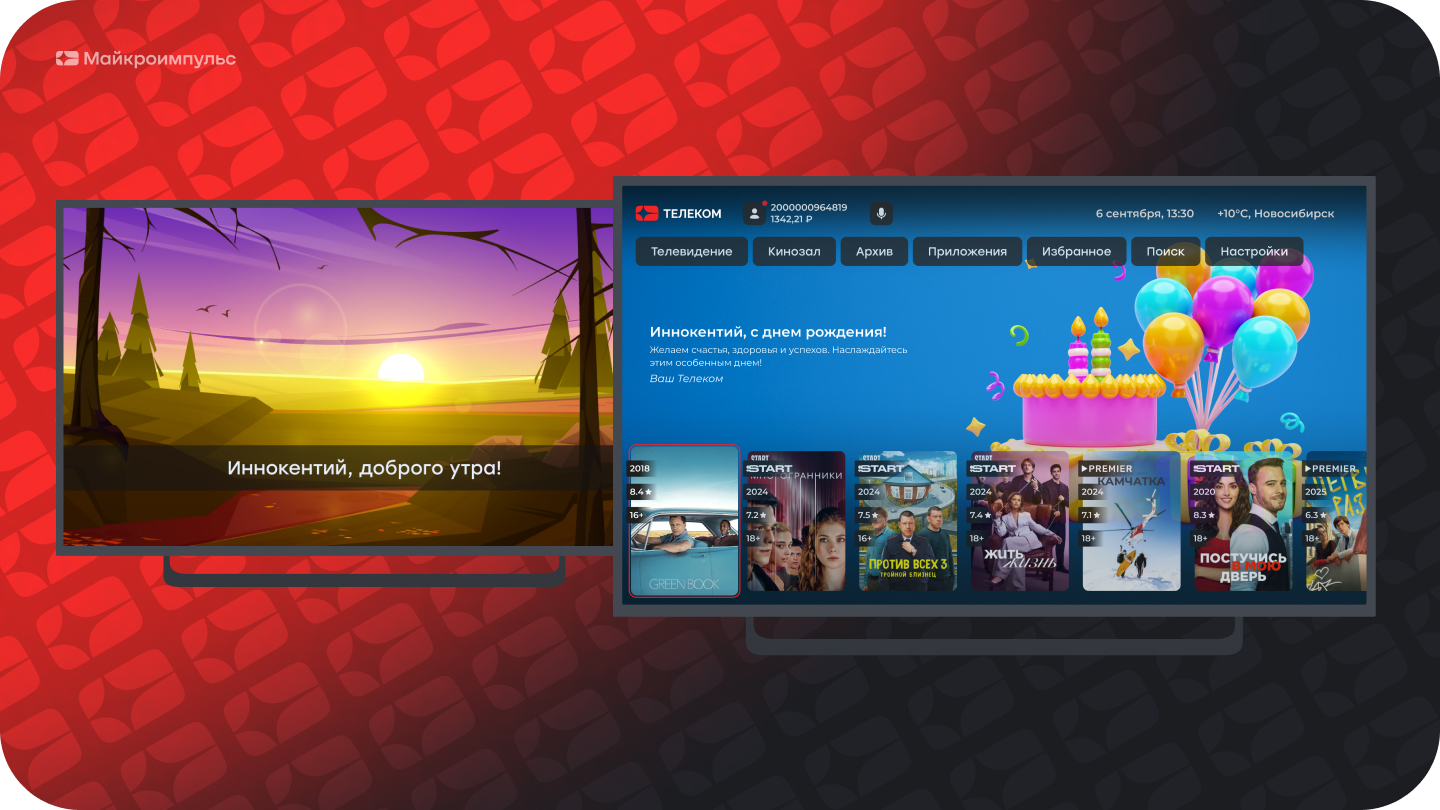
*Available in the Sibseti interface
How to Connect Smarty Advertising Tools
Smarty’s advertising capabilities are not just a set of technical features, but an architecture for building an operator’s marketing strategy. Using these tools, you can not only inform your subscribers, but also significantly increase the commercial efficiency of your IPTV/OTT platform, turning it into the core of your business ecosystem.
Which of these tools will suit your service depends on the device fleet, interface and what is more important right now – retention, upsale or outdoor advertising revenue.
We are ready to look at your database and tell you where to start and how to customize formats for your tasks. If it is relevant - leave a request, analyze your situation and answer all questions.
