
Feeds for Android TV and Samsung Smart TV
Module «Feeds» now available as part of the Smarty platform. Its functionality allows you to display tapes of channels, movies and programs on the main page of the TV firmware.
Why show content outside the app
As statistics show, users most often download applications in markets for the sake of watching a particular channel, movie or series and only then make a decision on payment and further use based on functionality, convenience and other things.
This fact suggests the need to promote the content of the operator not only inside the application, but also outside it &# 8212; even before the first contact of the user with the service. It is this «zero» touch allows you to implement a new module «Feeds» — tell the user about the content inside the application before it starts and after shortening the path to its opening in the player to a couple of clicks.
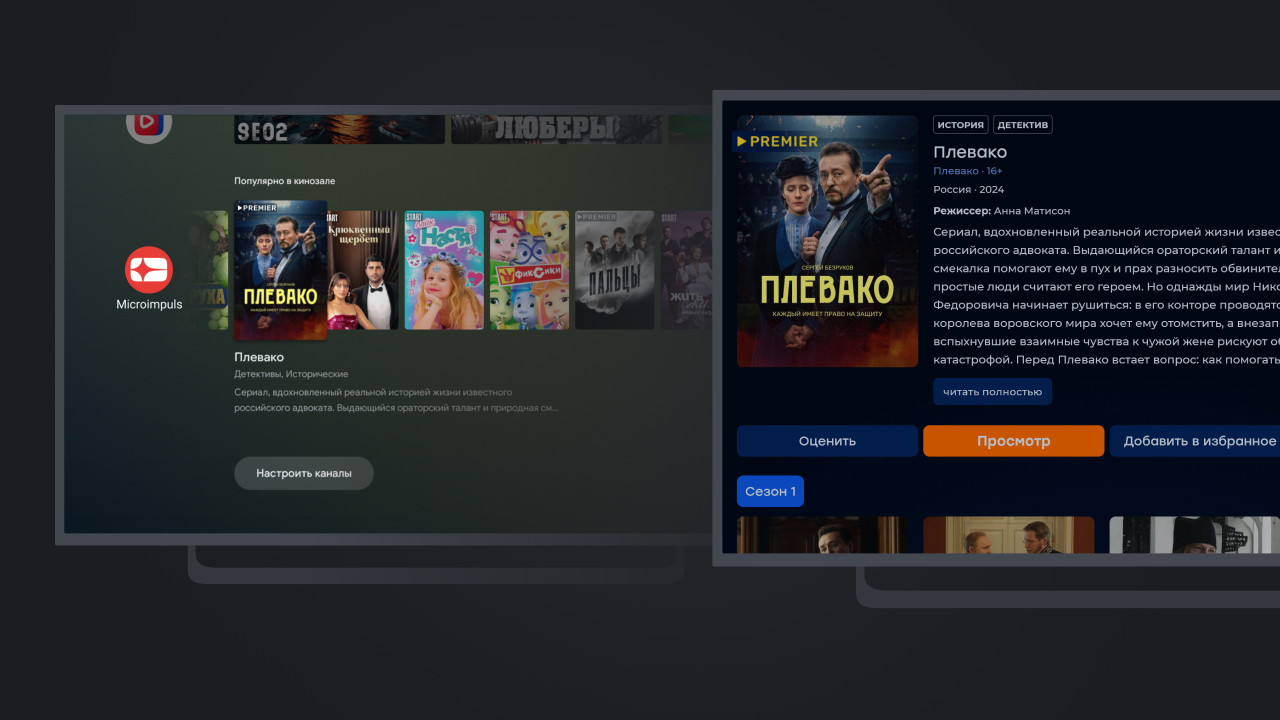
How to set up feeds in Smarty
From the point of view of settings «Feeds» located in the section «General settings» administration panel (this section is available with the appropriate license option) and the configuration mechanics reminds «Dashboard» — list of content tapes available on different platforms.
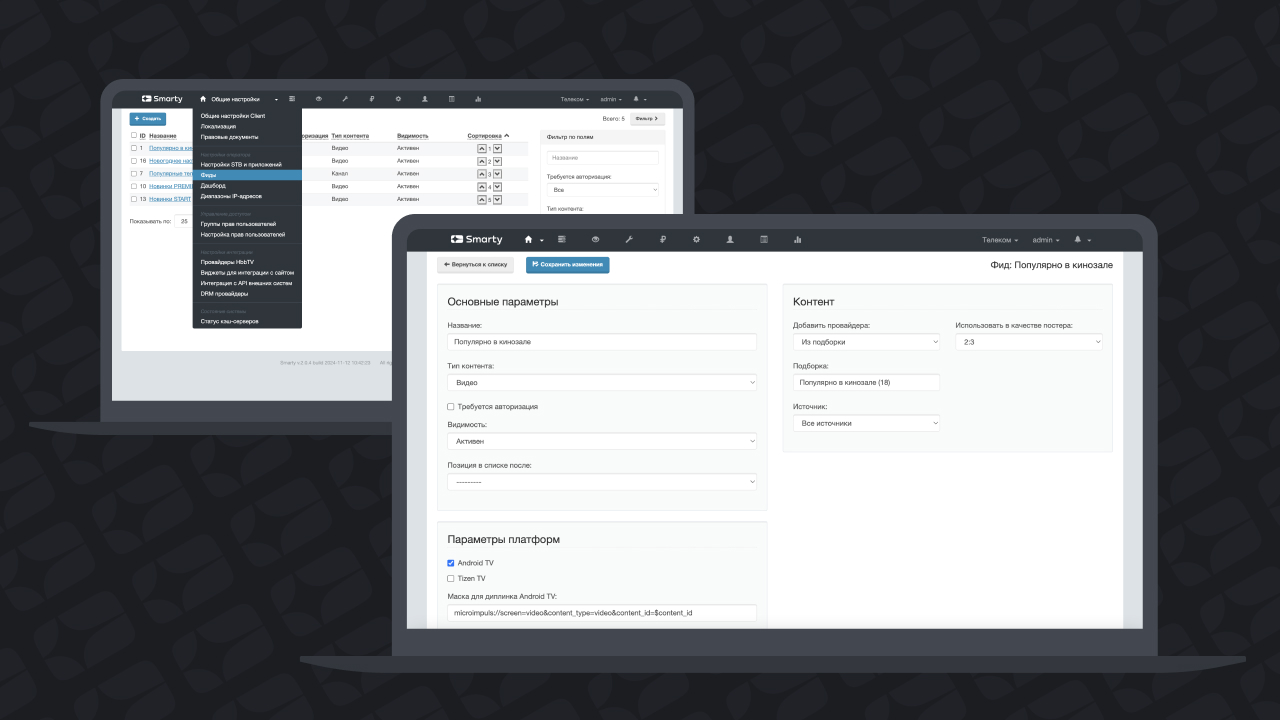
Tapes for Authorized and Unauthorized Users
Each tape has accessibility settings: visibility, availability of authorization and others. Disabled checkbox « Authorization is required» allows you to display content available in the application for unauthorized users, and in the case of clicking on the cover of such content, the user will be directed to the registration and authorization page in the service.
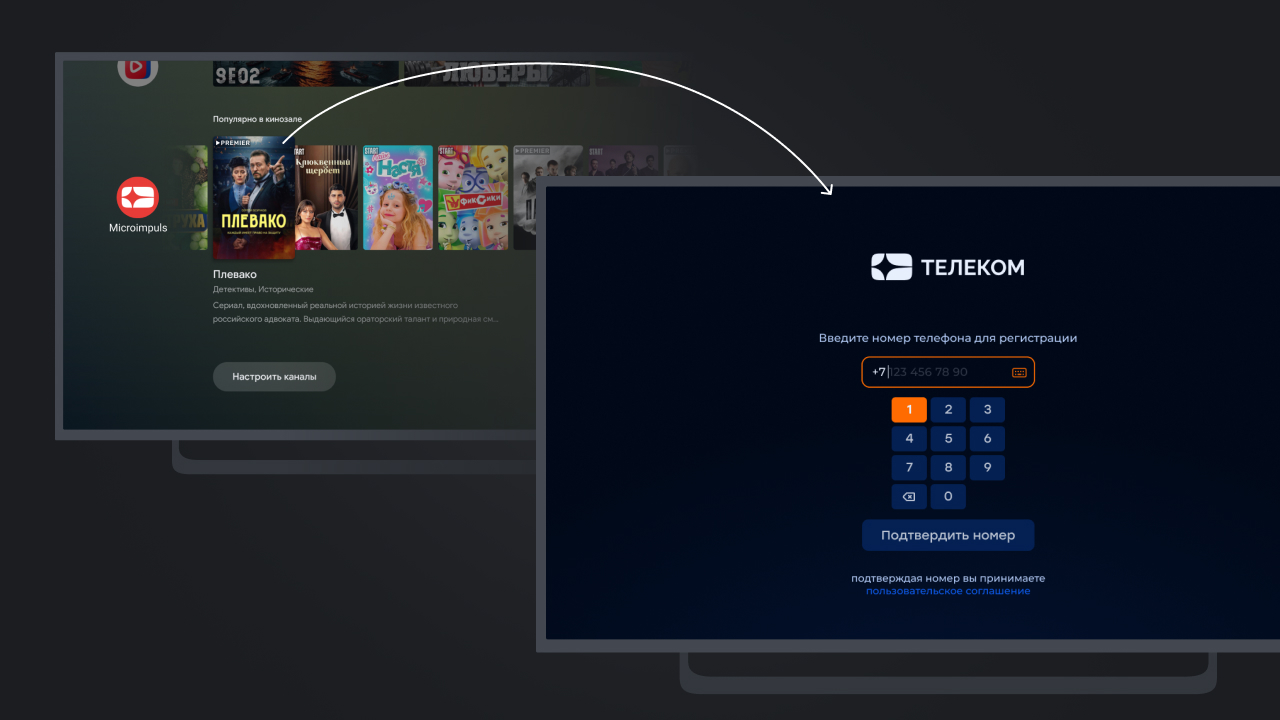
Once authorized in the application, users can configure the display of more feeds in the firmware and click on the movie or channel will automatically lead to its page inside the application.
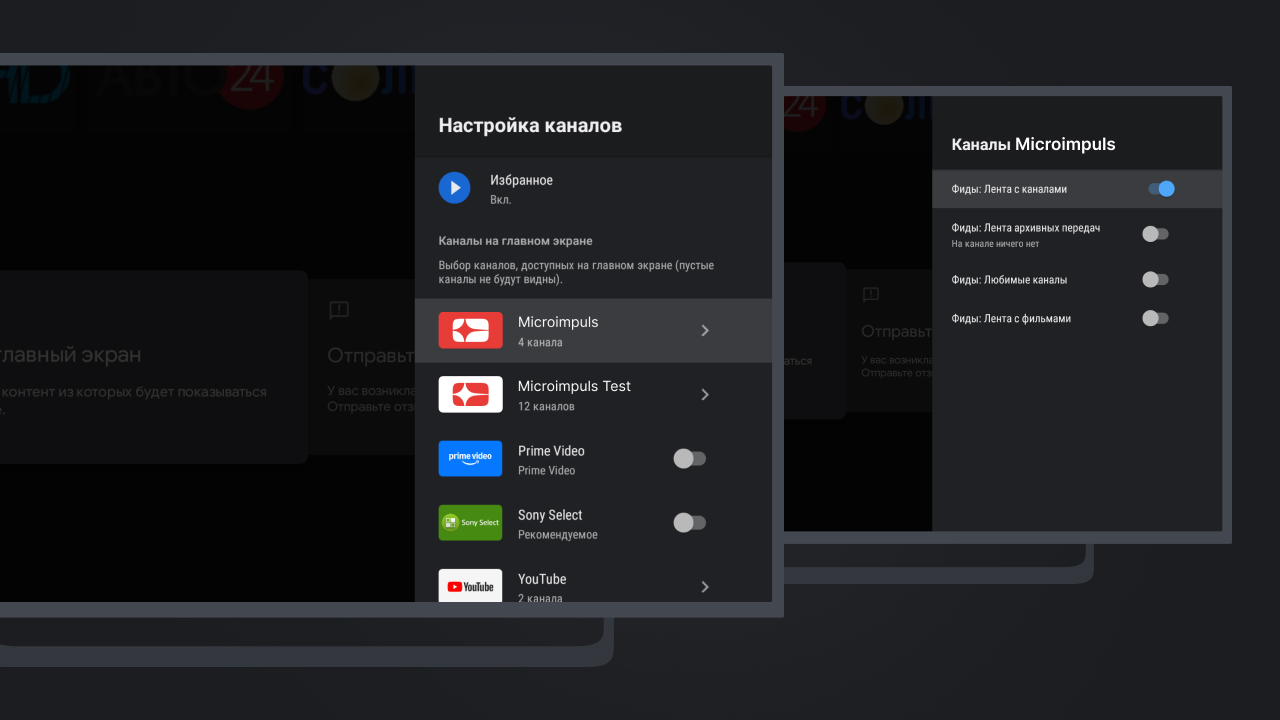
Feeds in Android TV firmware
Android TV firmware also allows you to place the application content inside the tape «Favorites» or «Continue viewing» (the name of this tape varies depending on the firmware modification). The feed module also allows you to place the application content inside the feed «Favorites» or «Continue viewing»"
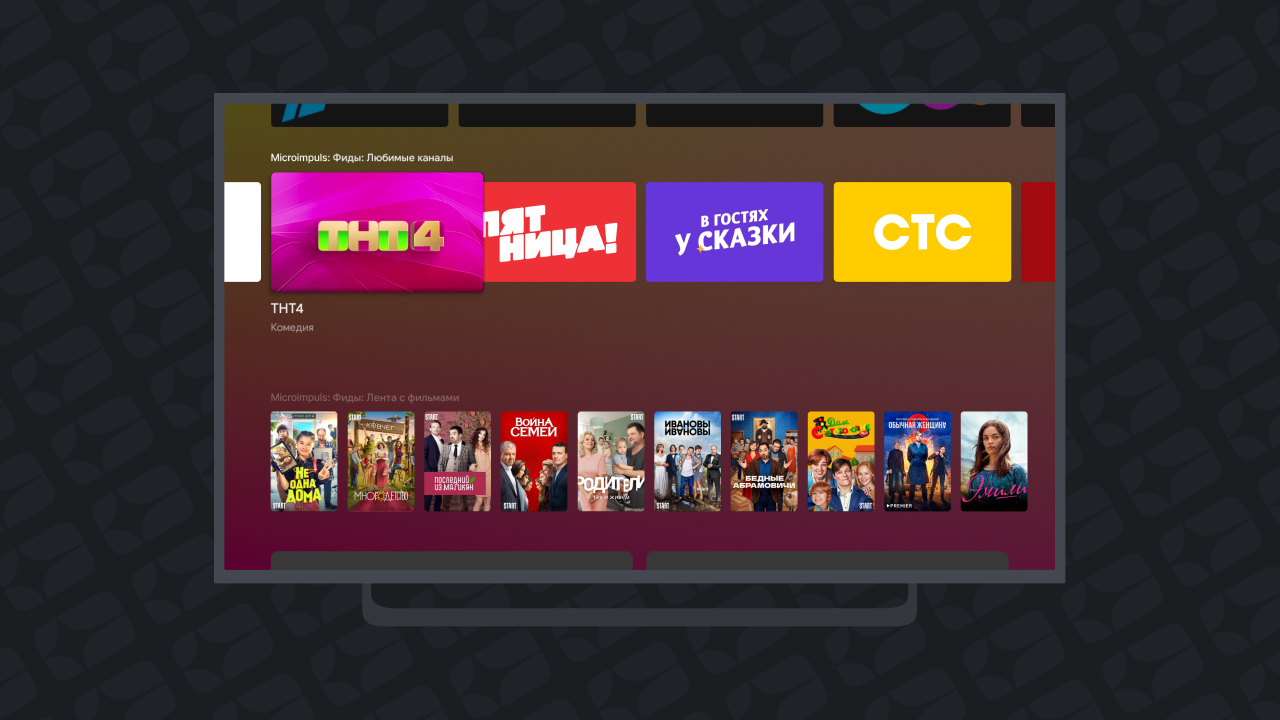
Feeds don’t just work on Android TV. Smarty displays feed in the firmware of Samsung Smart TV – on modern models one feed is available, on earlier models they can be added several.
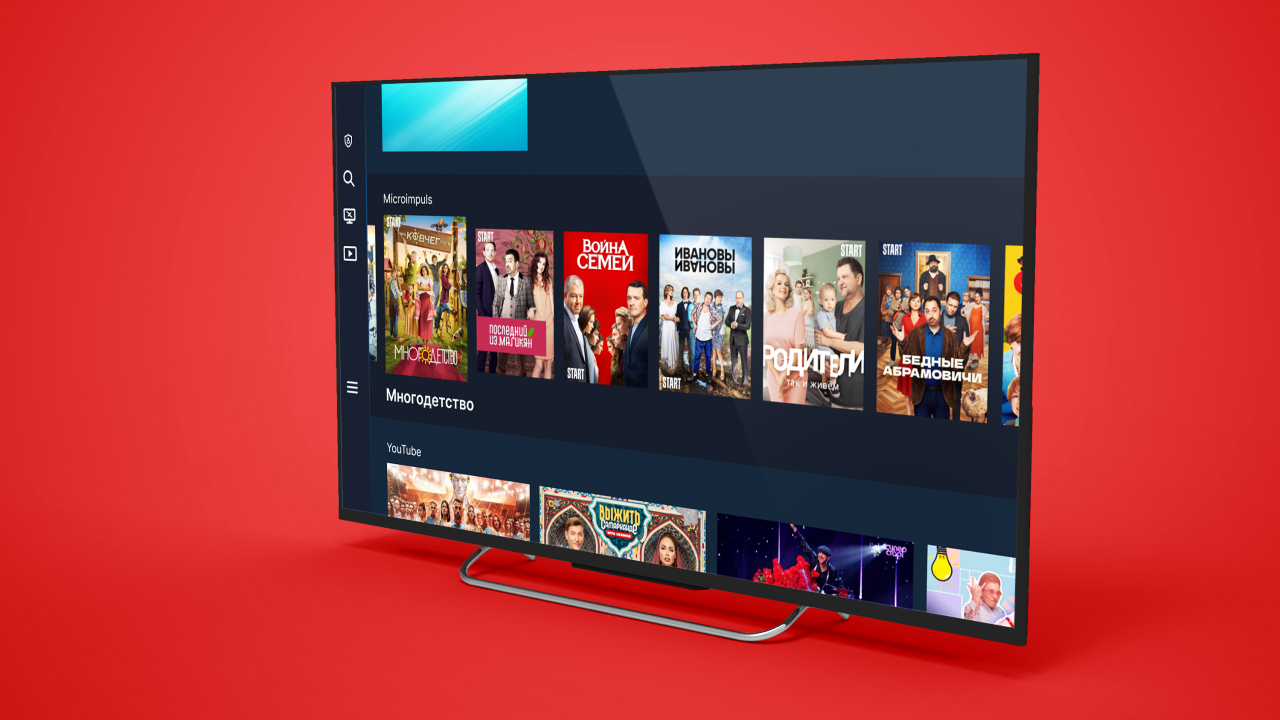
Module development and configuration
We continue to develop the module and add feed support as other TV and set-top box manufacturers develop such capabilities.
How to set up feeds - step by step, with all the parameters of the tapes and availability scenarios - dismantled separately. If you plan to connect the module in your service, fill out the application below: we will tell you what you need for this, and we will help with setting up.
