Memorizing devices in Windycast
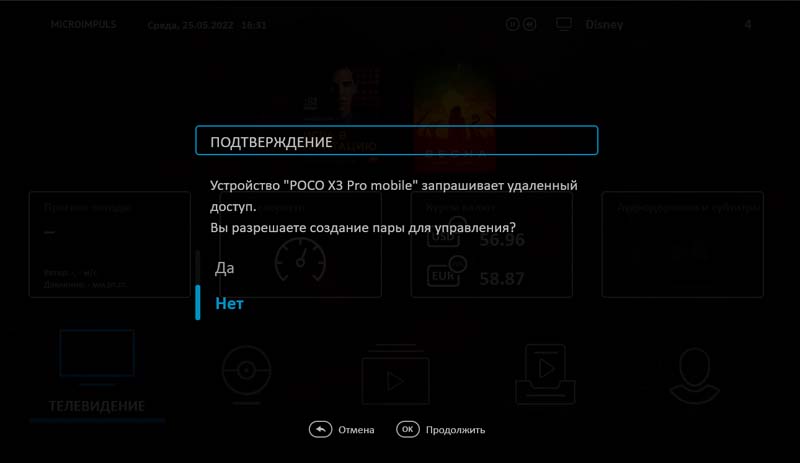
A new option added save_windy_devices, при включении которой устройства, подключавшиеся ранее к телевизору/приставке через Windycast, не требуют повторного подтверждения при подключении. Подробнее об опции: https://micro.im/docs/smarty/extra-services-integration/windycast-configuration#дополнительные-настройки-windycast
Futuristic
Advertising prerolls for video library and integration with Qvol
Since this release, the application has learned to play ads not only before launching channels, but also before launching movies from the video library. At the time of reproduction of advertising, a ban on pause or rewinding was added, as well as when playing videos from the provider Qvol, it is possible to skip videos after a certain number of seconds.
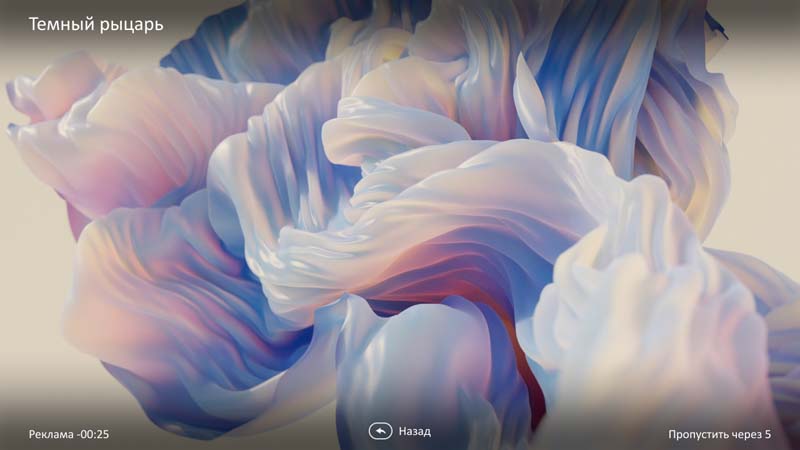
Read more about setting up advertising from Qvol in the description of the release of Smarty.
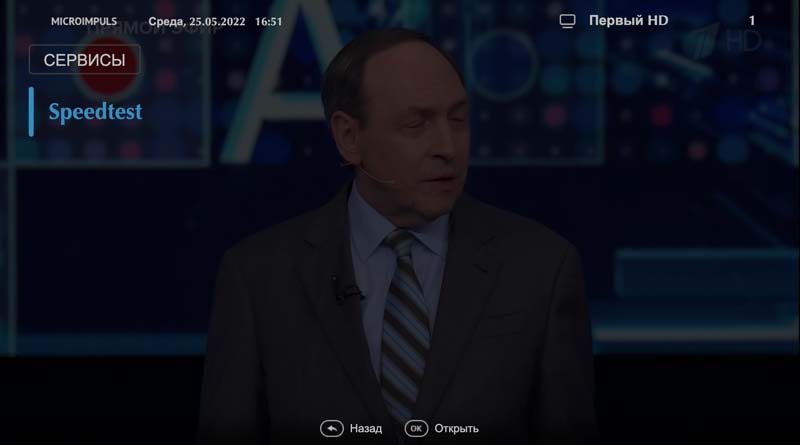
New "Speed Test" widget
A new widget has been added to change the speed to the platform servers, in which you can set the addresses to streamers and Smarty, so that the technical support of the service can easily check the quality of the subscriber connection.
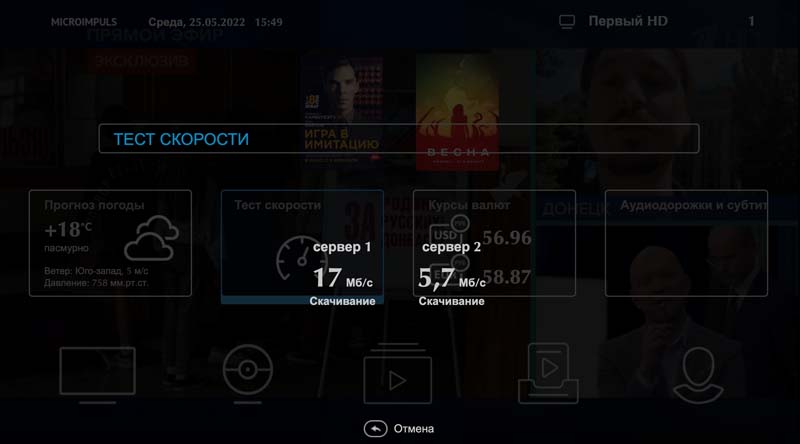
Подробнее о виджете: https://micro.im/docs/smarty/admin-guide/виджеты-шаблона-futuristic#тест-скорости
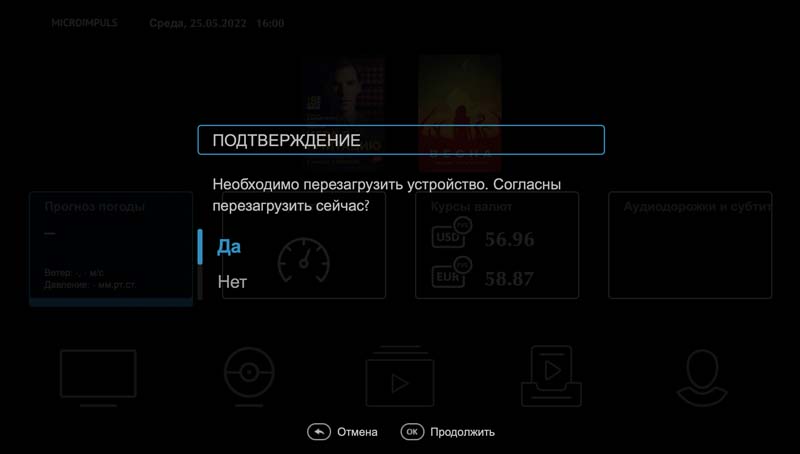
Request for confirmation of team performance
In the Smarty administration panel, there is the possibility of remotely restarting subscriber devices and subscriber applications in the Messages and Commands section. In this release, we added the option of rebooting both in the background and with a confirmation message:
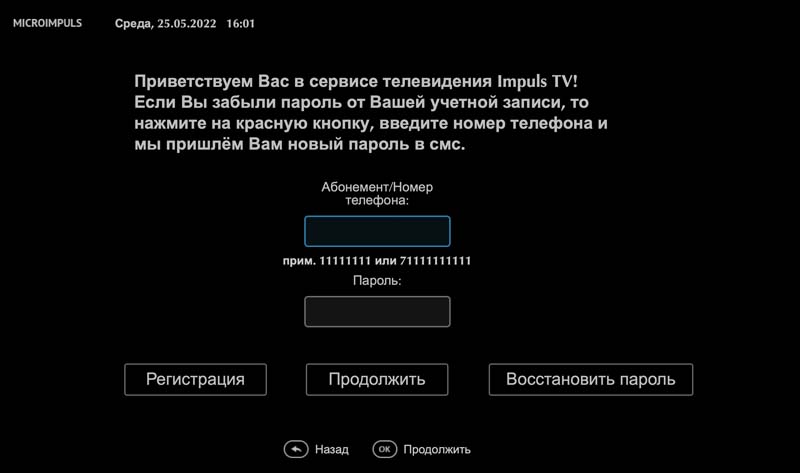
Authorization by phone number and password
For an option auth_mode a new possible significance 'phone_number'when placing which for authorization, the user can use not only the login and password, but also a couple of phone number + password:
Visual refactoring of the Archive screen
In this release, we also paid attention to the Archive screen, namely its appearance:
- the list of collections now displays posters in 4x3 format, although they were previously stretched to a size of 16x9, which made them look unaesthetic.
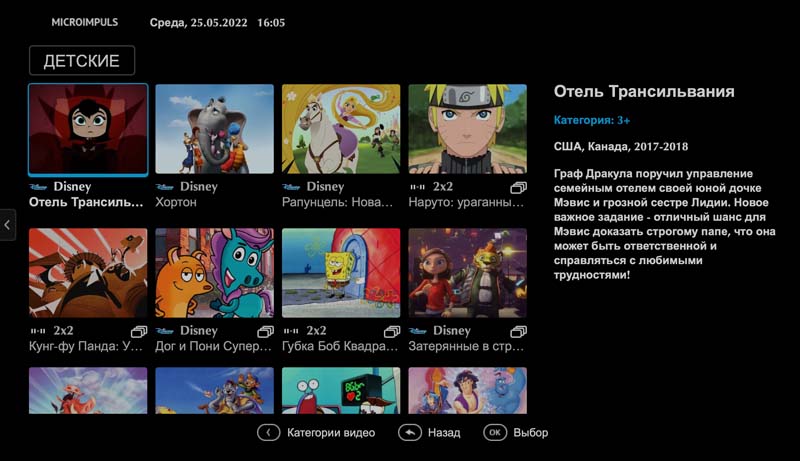
- changed the layout of the page records inside the collection: added additional information about the records, including posters
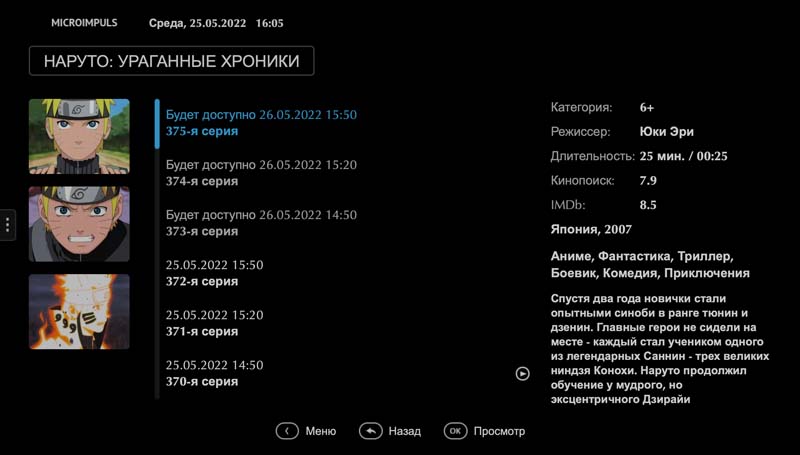
- for the All category, the number of entries is removed, since no more than 100 collections are always requested in this category for optimization purposes.
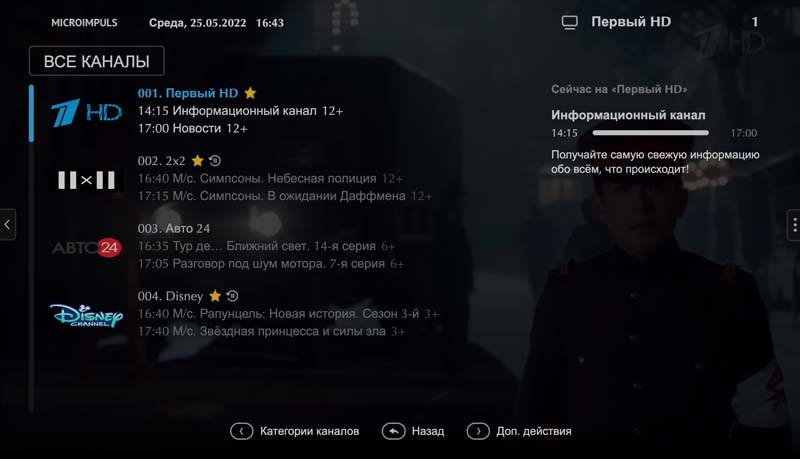
Indication of the archive in the list of channels
For all possible modes of displaying the list of channels, we added an icon showing that the channel is written archive:
Other
- A new option added
actorsдля изменения порядка сортировки актёров, подробнее об опции: https://micro.im/docs/smarty/portal-and-apps-settings/futuristic-settings#сортировка-списка-актеров-на-странице-фильма - Fixed option operation
server_rewind_mode=false, подробнее об опции: https://micro.im/docs/smarty/portal-and-apps-settings/futuristic-settings#перемотка-архива-методом-перезапроса-позиции - Добавлена возможность указывать id канала в настройках виджета TVChannelWidget, подробнее о виджете: https://micro.im/docs/smarty/admin-guide/виджеты-шаблона-futuristic#виджет-«телеканал»
- Added sensitivity to the HTML content of legal documents, messages, descriptions, for which at the level of the control panel it is possible to add HTML layout.
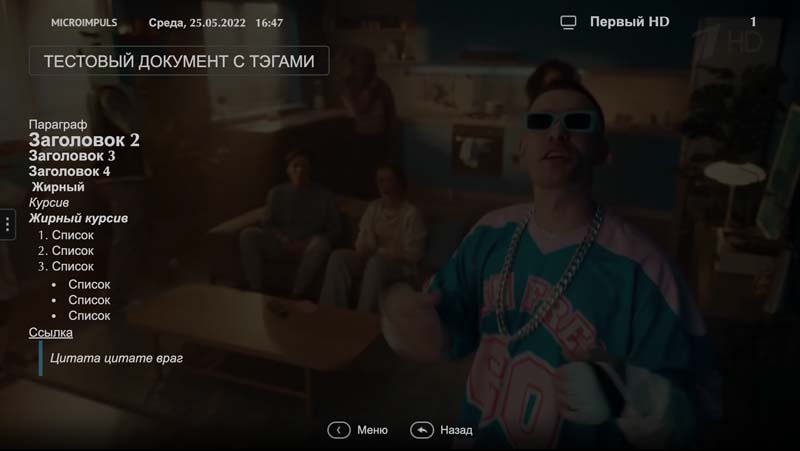
- A new option added
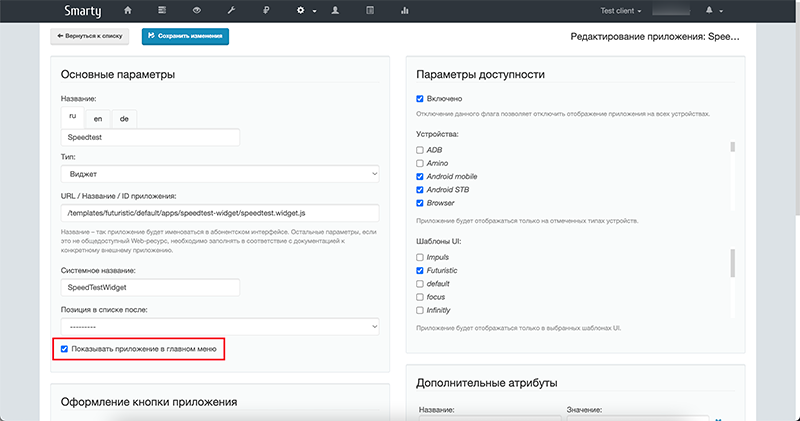
switch_channels_by_ch_plus_minus_keysдля постраничного пролистывания списка каналов по нажатию кнопок Ch+/Ch- в экране ТВ, подробнее об опции: https://micro.im/docs/smarty/portal-and-apps-settings/futuristic-settings#поведение-кнопок-ch+/-на-экране-списка-каналов - For Widgets Test speed, Search, News, Payment and payment added the ability to display not only in the main menu, then inside the section “Services” depending on the displayed flag “Display in the main menu” in the admin.